JioPC Costs Just Rs 11 Per Day: Can It Replace a Budget Laptop?
JioPC offers cloud-based computing with up to 16GB of RAM and 1TB of storage, but users still need an existing device and reliable internet connectivity.
JioPC plans start at Rs 1,000 for two months. The service supports any internet provider when accessed through a browser.
Consumers can register using a Jio or non-Jio mobile number. Jio says the service can be set up in under five minutes.
JioPC Ultra’s annual option costs approximately Rs 13.70 per day. JioPC is better positioned as an upgrade alternative than a complete laptop replacement.
Highlights
JioPC plans start at Rs 1,000 for two months. The service supports any internet provider when accessed through a browser.
Consumers can register using a Jio or non-Jio mobile number. Jio says the service can be set up in under five minutes.
JioPC Ultra’s annual option costs approximately Rs 13.70 per day. JioPC is better positioned as an upgrade alternative than a complete laptop replacement.
Reliance Jio has made JioPC available as a standalone subscription to consumers across India, regardless of their telecom or broadband provider. Previously limited to JioHome broadband subscribers, the cloud-based computer can now be accessed on an existing laptop or desktop through a supported web browser.
Make Telecom Talk My Trusted Source
Key Highlights
JioPC can now be accessed without JioFiber or JioAirFiber through a supported browser.
The standard annual option works out to approximately Rs 11 per day.
JioPC offers 8GB RAM and 500GB storage.
JioPC Ultra provides 16GB RAM and 1TB storage.
Both configurations operate on Ubuntu Linux.
Users need an existing functional computer and reliable internet connectivity.
All listed subscription prices are inclusive of GST.
The standard JioPC plan priced at Rs 4,000 provides 10+2 months of validity. Spread across 365 days, it works out to approximately Rs 10.96, or Rs 11 per day. JioPC Ultra costs Rs 5,000 for the same validity period, which translates to approximately Rs 13.70 per day.
The effective Rs 11-per-day cost therefore applies to the standard annual option. Shorter subscriptions carry a higher effective daily cost.
Jio is positioning the service as an alternative for consumers whose aging computers have slowed down, run out of storage, or struggle to run modern applications.
However, can a cloud computer costing Rs 11 per day genuinely replace a budget laptop?
JioPC is a computer-as-a-service subscription model operating on remote cloud infrastructure. Instead of relying entirely on the processor, RAM, and storage inside the user’s device, it provides a virtual desktop powered by computing resources hosted in Jio’s cloud.
Users can access JioPC through a supported web browser on an existing laptop or desktop. Browser-based access works with any broadband or internet provider and does not require a JioFiber or JioAirFiber connection. Consumers can also register using either a Jio or non-Jio mobile number.
JioPC can additionally be accessed on a television through a Jio Set-Top Box. This method requires an active Jio broadband and set-top-box connection, a television or monitor, and preferably a keyboard and mouse.
The virtual desktop, applications, files, and settings remain the same across browser and set-top-box access.
However, pen drive or USB drive access is unavailable via a browser and is supported when accessing JioPC via the Jio Set-Top Box.
JioPC is available in two configurations. The standard version provides a four-CPU configuration, 8GB of RAM, and 500GB of cloud storage. JioPC Ultra offers an eight-CPU configuration, 16GB of RAM, and 1TB of cloud storage. Both versions operate on Ubuntu Linux.
Validity
JioPC: 8GB RAM and 500GB
JioPC Ultra: 16GB RAM and 1TB
Two months
Rs 1,000
Rs 1,200
Five months
Rs 2,000
Rs 2,500
10+2 months
Rs 4,000
Rs 5,000
All listed prices are inclusive of GST.
Jio says users can set up JioPC in under five minutes without installing new hardware. The company also says activation does not require data migration or associated downtime.
JioPC can reduce dependence on the processor, RAM and storage inside an aging computer because processing takes place remotely in the cloud. This could make an older device more useful for web browsing, document editing, online learning, coding and other supported applications.
Reliance Jio says the service is particularly suited to three- to four-year-old computers.
The company also claims that even an eight-year-old computer can meet the performance, storage, and capability requirements of supported AI-powered applications because the computing-intensive AI processing occurs in the cloud.
However, JioPC cannot resolve every problem affecting an old computer. A damaged screen, a deteriorating battery, an unreliable keyboard, weak Wi-Fi hardware, or a slow browser can continue to affect the experience.
The existing computer must remain functional enough to run a supported browser and maintain a reliable internet connection.
The 8GB or 16GB of RAM included with JioPC is hosted in the cloud-based environment.
It does not physically upgrade the RAM installed in the user’s device. Responsiveness will also depend on internet speed, network latency, local device conditions, and the performance of Jio’s cloud infrastructure.
JioPC and a Budget Laptop Solve Different Problems
A budget laptop is a complete physical computer. It provides a display, a processor, RAM, storage, a keyboard, a trackpad, and a battery in a portable package. Users own the hardware and can perform several tasks without an internet connection.
JioPC provides a virtual computing environment but no physical hardware. Consumers accessing it through a browser must already possess a functional laptop or desktop.
Those using it on a television require compatible JioHome equipment and input accessories.
JioPC is therefore a closer, more affordable alternative to upgrading or replacing the internal hardware of an existing computer. It is not a direct substitute for someone who needs an entirely new physical device.
Ubuntu Could Limit Software Compatibility
Both JioPC configurations use Ubuntu Linux rather than Microsoft Windows. Consumers should not assume every Windows application or executable file will run natively on the service.
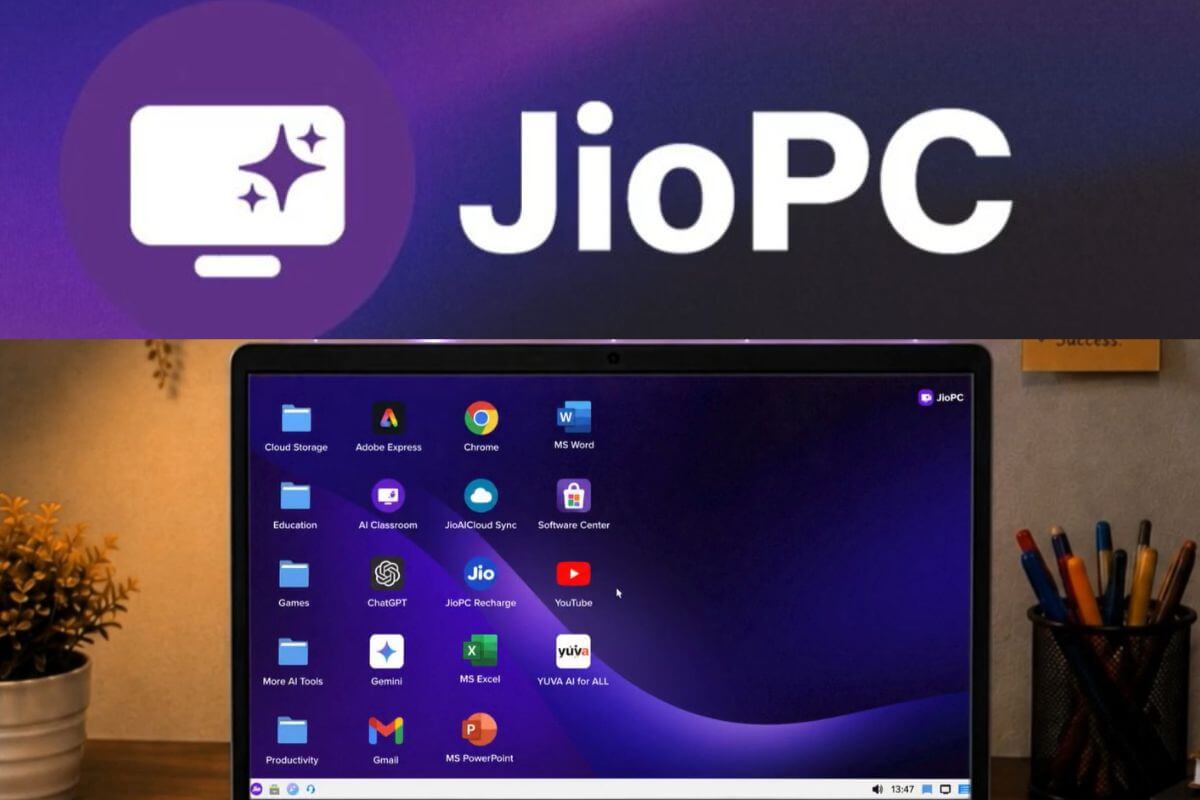
JioPC comes with LibreOffice and web browsers for accessing online applications such as Microsoft 365. Jio also lists Adobe Express among the available design tools.
Browser-based applications, Linux-supported software, coding environments, and educational platforms may meet several everyday needs.
However, users who depend on specific Windows accounting programs, institutional tools, professional applications, or hardware drivers should verify compatibility before subscribing.
A Windows laptop may provide greater flexibility for consumers whose work depends on software developed specifically for Microsoft’s operating system.
JioPC cannot provide access to its complete computing environment without an internet connection. Jio recommends stable broadband or reliable 4G or 5G connectivity for a smooth experience.
Network latency or temporary disconnections could affect interactive tasks. When accessing JioPC via a set-top box, Jio states that the virtual desktop remains active for 15 minutes after the box is switched off. If the user does not reconnect within that period, the desktop shuts down, and unsaved work may be lost.
A conventional laptop can continue to support offline documents, locally installed applications, and downloaded media during an internet outage.
Who Should Consider JioPC?
JioPC may make sense for students, families, educators, professionals, and small businesses that already possess a functional but underpowered computer.
It could support online classes, research, assignments, web browsing, spreadsheets, presentations, coding practice, and routine office work without requiring an immediate hardware purchase.
It may not be the right choice for someone requiring a completely new device, portability, offline functionality, or broad Windows software compatibility. Gamers, video editors, and professionals using specialized software should carefully evaluate application support and network latency.
JioPC can replace some computing functions performed by an entry-level laptop, but it cannot replace the physical device itself. Its strongest use case is extending the usable life of a working but aging computer by shifting processing and storage to the cloud.
For consumers who already possess a functioning laptop or desktop, JioPC offers affordable access to additional computing resources.
Those who require portability, offline access, broader application compatibility, and permanent hardware ownership would still be better served by purchasing a budget laptop.
A small group of TelecomTalk readers helps keep this platform running. Support us if you find our work valuable.
FAQs
How does JioPC cost Rs 11 per day?
The Rs 4,000 standard JioPC plan provides 10+2 months of validity. Dividing Rs 4,000 over 365 days yields an effective cost of approximately Rs 10.96 per day.
Does JioPC require a JioFiber connection?
No. JioPC can be accessed on a laptop or desktop through a supported browser with any internet provider. Accessing it via a Jio Set-Top Box requires an active Jio broadband connection.
What configurations does JioPC provide?
The standard configuration offers four CPUs, 8GB of RAM, and 500GB of storage. JioPC Ultra provides 8 CPUs, 16GB of RAM, and 1TB of storage.
Does JioPC run Windows?
No. The listed JioPC configurations run on Ubuntu Linux. Consumers should check if their required applications support Linux or browser-based access.
Is JioPC better than purchasing a budget laptop?
JioPC may be more affordable for someone who already owns a working computer. A budget laptop is better for users who need new hardware, portability, offline access, and broader compatibility with Windows software.
 Support Telecomtalk