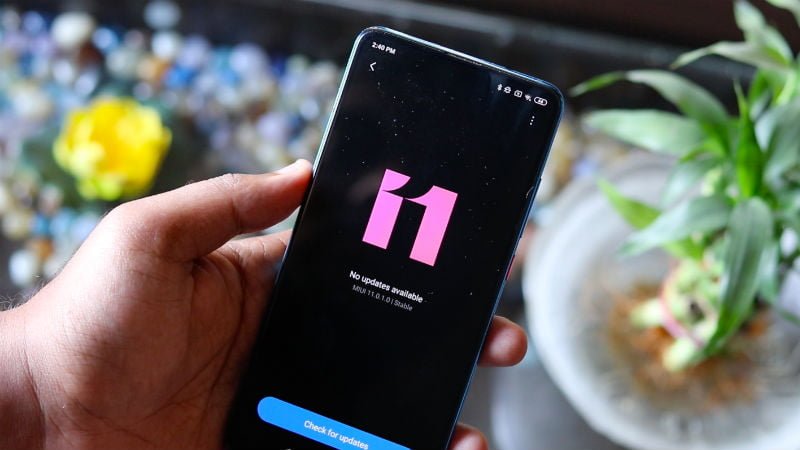
One of the first things that the users of any smartphone do when they get their hands on their device is to download a file transfer app. But with MIUI 11, the users won’t need to do this, because they get a very fast and smooth Airdrop alternate. The Mi Share feature on MIUI 11 works similar to Apple’s Airdrop to transfer files between Xiaomi to Xiaomi phones, and it does so very quickly. The Mi Share can also transfer files between Vivo and Oppo phones as well, but those phones will need to be upgraded to Android 10 to support transfer via Mi Share.
Ambient Display Customisation
Xiaomi has also started supporting always-on displays on its devices, but with MIUI 11, this feature really starts to shine as Xiaomi gives the control of the always-on display to the users. Users have the ability to set the animated clock, coloured backgrounds, and their own customised quotes as well. This will allow full customisation of the ambient display to the users.
Force Dark Mode
Dark Mode is possibly the most popular feature out there right now, and as such, Xiaomi has not missed on it. While the stock Android users find something called the “override Dark Mode” feature, the MIUI 11 users will find this feature as the “Global Dark Mode” under the Display Settings. This will extend the Dark Mode to all apps that will support it. Some of the apps which support the forced Dark Mode include Telegram and the Settings app on MIUI 11.
Better File Management
The native file manager on Xiaomi smartphones has been one of the smoothest apps out there, which eliminates the need to install third-party applications. This also means that the users of MIUI 11 will experience better support when it comes to different file formats. The MIUI 11 File Manager will open PDF and DOCX files without any third-party application as it is powered by WPS Office from the get-go. There will also be an easy search and sort options, as well.
Tasks in Notes
MIUI 11 has brought two major changes to productivity. The first one is the support for WPS Office inside the Mi File Manager app and the second one is the Tasks app which has gotten way better. For productivity geeks who like to do things in an arranged manner, this feature will surely be a boon from Xiaomi. By integrating tasks feature into the Notes app itself, Xiaomi has eliminated the need to install a separate Tasks app. What’s more is that users can easily make tasks, and reminders by simply swiping left on the Notes app, while they are jotting things down. Not only this, but the app is also synced with Mi Calendar, meaning that the users can get reminders for these tasks and maintain a to-do list easily and do it all from one place.
Improved Calculator
With the new MIUI 11, Xiaomi has also introduced a revamped calculator as well. This calculator also supports a floating feature meaning that the users might be using any app in the background while also using the floating calculator. For example, if you want to keep a log of your expenses in the notes app, while the notes app will be open in the background, the calculator can be floating as a tile, so that you can do quick additions. There are also some preset formulas as well, which will allow the users to do some quick calculations about things like EMI, bill splits, age of a person, and so on.
Dynamic Video Wallpaper
Although this feature will not find a lot of fans, but the users of MIUI 11 do get the ability to set a dynamic video wallpaper on both their lock screen and home screen. Now, it’s less likely that you will put up wallpaper with a video that you’ve shot from the phone, but you might put up something motivational or anything you like with this feature to make your home screen and lock screen a little more engaging and pleasing to look at.
For setting a video wallpaper, head over the Gallery app and navigate to the video and hit the three-dot icon to choose the wallpaper.
Activity Tracking
Similar to OxygenOS we get on OnePlus smartphones, MIUI 11 also gets an upgrade in the form of an activity tracker as well. The users will find a step tracker which functions similar to Google Fit and uses the accelerometer to track the steps. In addition to this, for the female users of MIUI 11, there is the menstruation cycle tracker which will also give some helpful health tips and other related information which the users can find useful.
The Activity Tracking can be found on the left side of the home screen and it’s a separate small app that can be downloaded from the Play Store.
Ultra Battery Saver Mode
Although the battery saver mode in itself is pretty popular, Xiaomi has taken this up a notch and introduced an ultra battery saver in MIUI 11 which will ensure that you don’t get stuck with a switched off the phone, when you need it the most. The ultra battery saver turns off all fancy features likes animations, coloured wallpaper and more. In the ultra battery saver, the users will get to see a pitch-black wallpaper, no animations, and only the necessary features remain like calling, messaging data and that too without background sync. As per Xiaomi’s claims, the ultra battery saver can last a full day with only 5% battery. This feature can be found in the Battery app in Settings, but it’s yet to reach MIUI 11 for India.
If this article saved you time or helped you decide better, consider supporting our work.
 Support Telecomtalk