 Support Telecomtalk








Andrew Bonwick
Vice President of Product Development at Relm Insurance

Madhav Sheth
CEO of Ai+ Smartphone

Stephen Rose
CEO Render Networks




Telegram has added the ability to import individual chats from WhatsApp on iOS. The Facebook-owned WhatsApp is all over the place after letting users know about the new privacy policy that was initially set to roll out from February 8. A large chunk of WhatsApp users are migrating to either Telegram or Signal. While Signal is plagued with user handling issues, Telegram is welcoming all the WhatsApp users. In fact, the company is actively rolling out new features to attract WhatsApp users. The major question WhatsApp users had in their minds is how to get their chats on Telegram. Well, that wasn’t possible earlier. But now, it is possible with Telegram 7.4 update. Telegram has rolled out the ability to import individual chats from WhatsApp. Check more details regarding the new feature below.



- Make Telecom Talk My Trusted Source



How to Import WhatsApp Chat to Telegram?
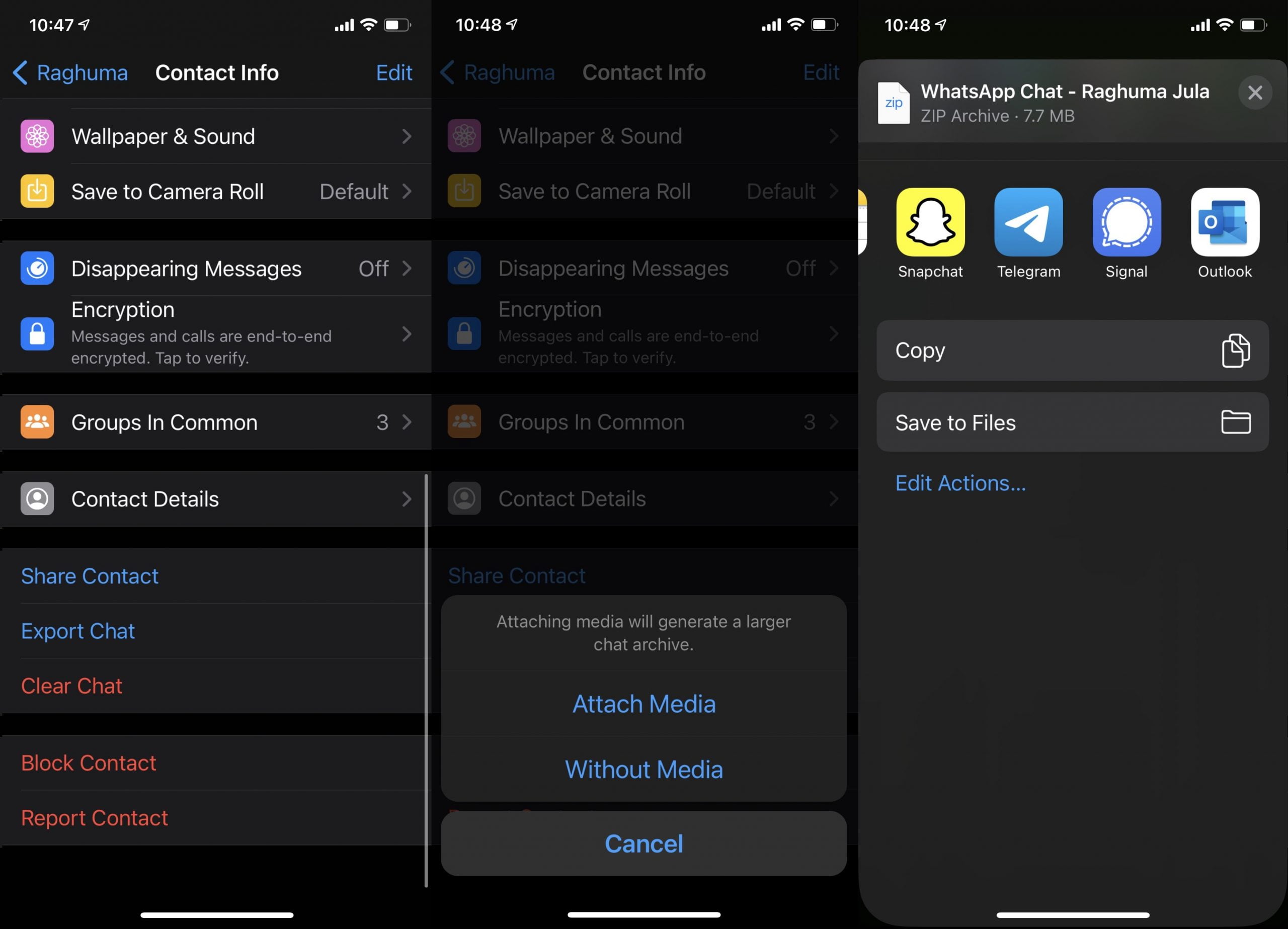
The process of importing WhatsApp chats to Telegram is very simple, but the major letdown here is you’ll have to import every chat individually. Yes, you read it right. You can even import WhatsApp Group chats to Telegram, however, you will have to create a group in the latter and add members manually.
The process starts in the WhatsApp application first. Head over the personal or group chat in WhatsApp, and hunt for the ‘Export Chat’ option. You can access the Export Chat option in iOS by hitting the contact name on the top and by scrolling down to the bottom.