Support Telecomtalk







Andrew Bonwick
Vice President of Product Development at Relm Insurance

Madhav Sheth
CEO of Ai+ Smartphone

Stephen Rose
CEO Render Networks



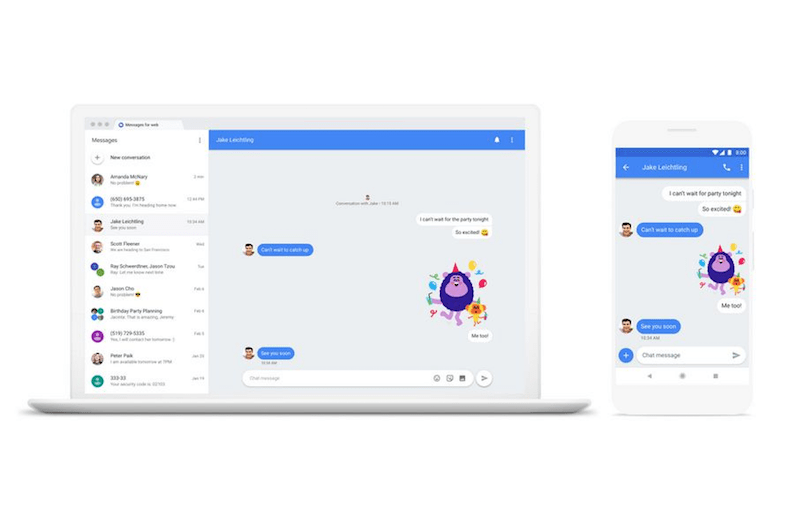
Google has started the rollout of Android Messages for the web from today, allowing users to send and receive texts from a desktop browser. Google has confirmed the rollout in a blog post, but not everyone can use it right away as the Android Messages on your smartphone should be upgraded to the latest version- 3.3.043 and then wait for Google to enable it for you on the server-side. However, Google has stated the rollout will continue over the next one week, which means that you’ve to wait for the new feature to experience it. Once the feature gets enabled, users can send text, images and stickers on the web version.
- Make Telecom Talk My Trusted Source






The process of connecting to the web version of Android Messages is very much similar to that of WhatsApp Web. To get started, users have to visit the Android Messages for web (https://messages.android.com/) from their desktop. After opening the website, they’ll be presented with a QR code, which by the way has to be scanned from your smartphone app. The next step involves waiting part as you should wait for Google to enable the feature for you on your smartphone.
For the same, make sure you’re on the latest version of Android Messages application and keep checking for “Messages for web” option under the three-dot menu. Once it appears, you’re good to use the Android Messages web version.