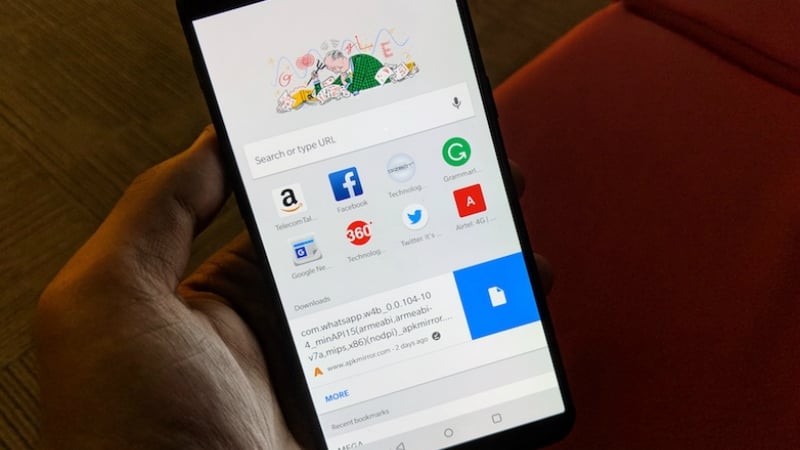
Google rolled out a major beta update for its prodigy internet browser, the Google Chrome. With this update, we got to see the look at the new Google Chrome 65. This update caused the Google Chrome 65 to rise up to the beta stage, and we are excited to tell that this new update has brought a plethora of new features which although are experimental but are also interesting and appealing like the Modern Design interface and the new Clipboard API.
The Modern Design UI
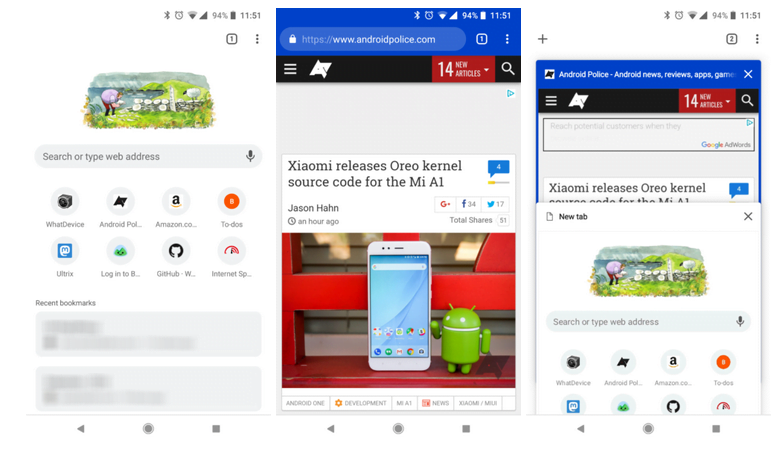
The Modern Design UI of Chrome adds rounded features to the application. People who like to tweak their experience to the latest of available features will especially like this, as this feature comes live on flagging the enable ‘Modern Design UI’.
The interface has a similar design to Chrome Home, however, the address bar is absent from the bottom. The New Tab Page now has a white background with light gray elements, and the icons for frequently-visited sites have also gone smaller in size and now have rounded edges too. The tab switcher has a white background now, and the tab switcher button also has been rounded to give it a similar feel like the rest of the design.
Image: Android Police
Previously, while browsing Chrome used to make the colour of the status bar a shade darker than that of the browser window. However, that is not the case anymore as now both the colours are blend into one and it is not almost impossible to differentiate the status bar from the address bar on the Chrome. This also adds to the appealing design of the new features.
Media player updates
Previously with the December update, the media player in Chrome used to have a white UI with all the controls linearly arranged inside it. Now developers have tweaked the UI and made it more attractive and impressive. The play button is now in the middle of the screen, with the rest of the functions displaying above the timeline which has also been given a smooth and slick look this time. Also, Google has added the functionality of fast forward and reverse by tapping ahead or behind the middle of the screen just like in the YouTube application.
Async Clipboard API
Previously if the websites had to copy text or images, they had to do it through the embedded Flash Players. This new Chrome update seeks to break through the limitations of the new execCommand Javascript API which although was a significant improvement from the flash players but still used to perform differently on different devices.
The Async Clipboard API adds two new permissions sites can use – writing to the clipboard, and reading the clipboard. This feature will work exclusively for the HTTPS sites and will be bound to the page which we’ll be working on, thus making it impossible for other tabs to fiddle with the clipboard data. Chrome has also provided an option to prohibit sites from using Clipboard, users can change these configurations by going into the Chrome settings.
Besides these major updates which Chrome has rolled out, there are also several small but noteworthy features to be aware of, like Auto-capitalization on any editable text field.
Users who would like to see these updates on their Android devices as soon as possible can download the APK from APK Mirror instead of waiting for the official rollout of the update onto devices which might take weeks. Also, this APK has been verified by Google to ensure security.
Some people read for free. A few choose to support. If you found TelecomTalk useful, you can help keep us running.
 Support Telecomtalk