Support Telecomtalk







Andrew Bonwick
Vice President of Product Development at Relm Insurance

Madhav Sheth
CEO of Ai+ Smartphone

Stephen Rose
CEO Render Networks



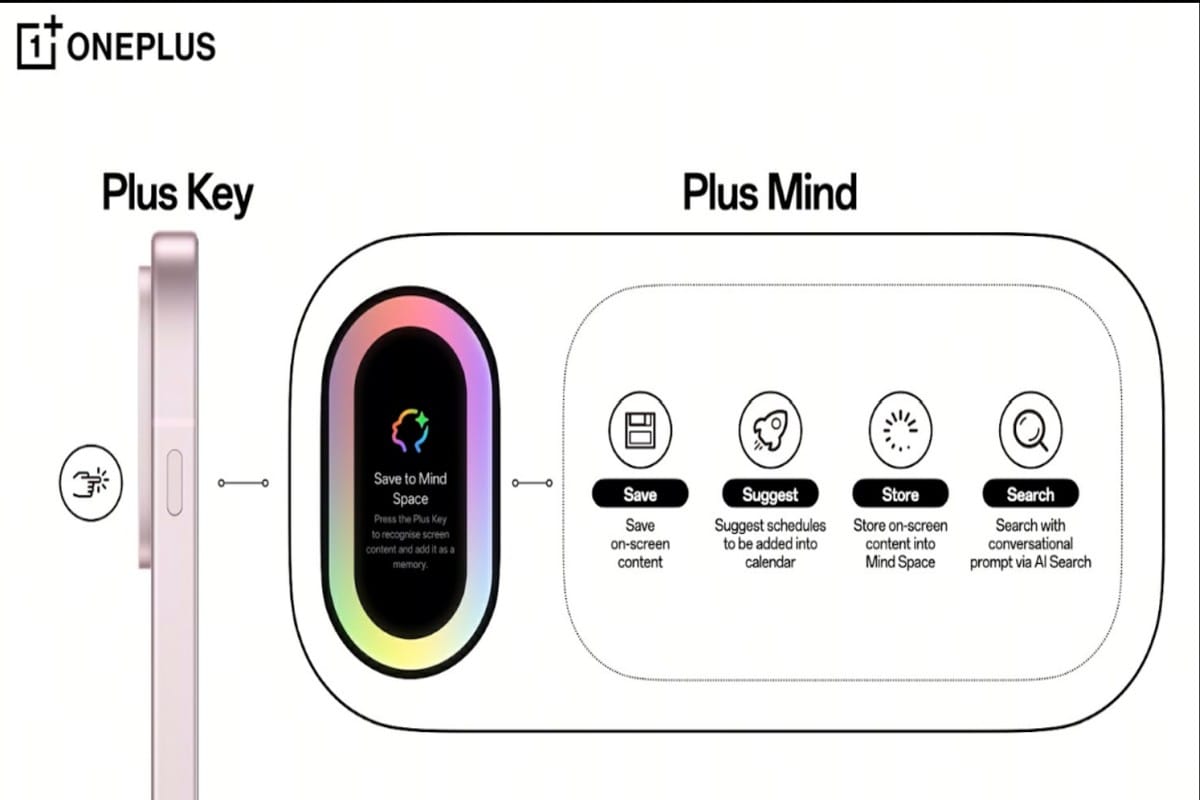
OnePlus, earlier this year, brought the OnePlus 13s. The OnePlus 13s was the first one from OnePlus to feature the Plus Key. The Plus Key is a customisable button on the side. It can be customised to activate the AI Plus Mind. With the AI Plus Mind, users can store any information on their screen to Mind Space. This is a major use case of the Plus Key.



- Make Telecom Talk My Trusted Source



Let’s see how the OnePlus AI Mind works.
Read More – Amazfit Helio Strap Launched in India: Price and Specifications
OnePlus AI Mind: Capture and Organise
OnePlus AI Mind works in a very simple manner. Users can just capture and organise with a single tap. Just tap on the Plus Key or swipe up with three fingers to instantly save on-screen data, events, schedules, reservations, and more. For example, users can save a restaurant reservation from a text message with a single tap, and AI Plus Mind will automatically categorise it inside the Mind Space.
Read More – Samsung Galaxy Event Announced for September 4, 2025
The Mind Space is a directory on the OnePlus phone where all the information captured will be stored. The AI will automatically categorise and extract key insights for easy retreival. With the AI Search, users can search across Notes, Mind Space, and Settings using conversational prompts. For example, users can just say ‘show me my flight details from last month’ and if it is inside the Mind Space, the details will be found. It helps users in saving time and helps in conveniently finding important details whenever necessary.