 Support Telecomtalk







Andrew Bonwick
Vice President of Product Development at Relm Insurance

Madhav Sheth
CEO of Ai+ Smartphone

Stephen Rose
CEO Render Networks



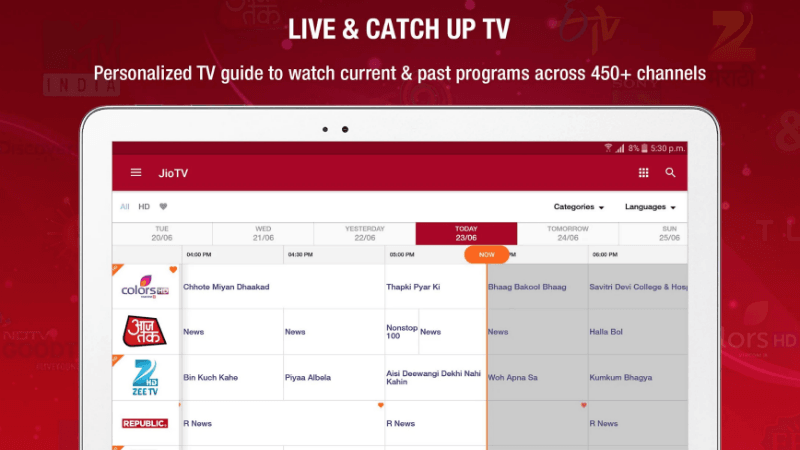
Reliance Jio’s JioTV is one of the most liked OTT apps in the market right now. The popularity of Reliance Jio makes it even more accessible by the users since the app is bundled in Reliance Jio’s free portfolio of apps. To stay ahead in the content game, Reliance Jio has been making long strides to ensure that the users get only the best when it comes to experiencing video-on-demand. Now, bringing a small but important feature for today’s users Reliance Jio has upgraded its JioTV application. The company has brought picture-in-picture mode for JioTV. Notably, this new feature will allow the users of JioTV to continue with their work like texting, browsing, typing or anything else while continuing to watch the video, movie or TV show in the small hovering thumbnail.
- Make Telecom Talk My Trusted Source
-

-


Picture-in-Picture Mode Now Available on JioTV
When you open the JioTV app page on Google Play Store, you will find that Reliance Jio has listed the latest features of the app. On the top, we get to see the mention of the picture-in-picture mode which will allow the users to continue their chatting, browsing or anything else while the video plays in the thumbnail. This way, users will be able to exit the JioTV app while the video continues to play in the small hovering screen. However, JioTV has also noted that the picture-in-picture functionality will only work on phones with Android 8.0 and above. While you install the application, you also might have to allow the picture-in-picture functionality in the settings for the JioTV app. On doing that, you will be able to shrink the screen while playing a video next time to turn to picture-in-picture mode.






























