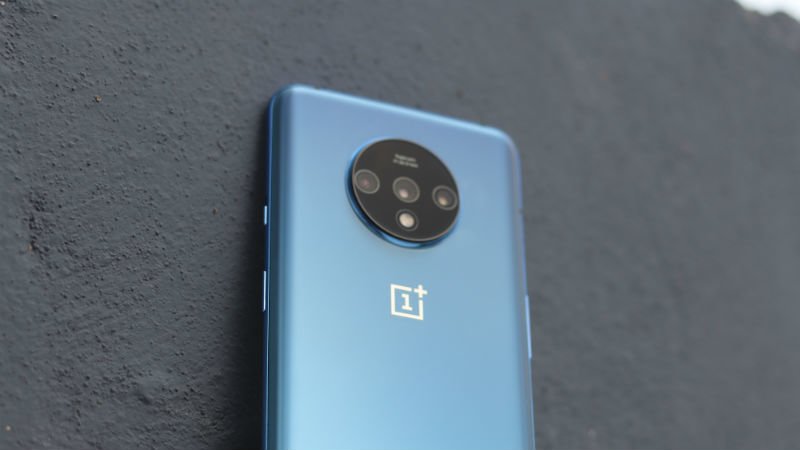
If you are preparing to buy a phone in the premium segment, it would be hard to hear of someone not mentioning the OnePlus 7T. Just like its predecessors, the OnePlus 7T has got rave reviews from all around the world. Undoubtedly, the phone comes with some very interesting specifications and is loved by consumers. What makes OnePlus 7T a great phone is not only the hardware specs of the device but also the software optimisation which the Chinese manufacturer is so revered for. The OnePlus 7T comes with OxygenOS 10.0 built on Android 10, which is one of the most loved UIs in the world. The same OxygenOS 10.0 has been rolled out to other OnePlus smartphones as well.
There are some hidden tricks inside OxygenOS 10.0, which you can use to make your experience of the OnePlus 7T device even better. Here are some must-know things about the OxygenOS 10.0 based on Android 10.
If you have got your hands on the OnePlus 7T or any other OnePlus device running OxygenOS 10.0, you’ll be able to tweak the display appearance according to your needs. On the OnePlus 7T, you will find that the colour profiles on the device have been significantly improved and especially the Vivid colour profile. You can go to the Display settings on the device and tweak these colour profiles to see what feels pleasant to your eyes. The Natural mode is something that will give warmer tones and will be a little pleasing.
Customise Accent Colour, Dark Mode and More
All the interesting display customisations on the OnePlus 7T are no longer grouped in the Display settings. The users will find these settings under the “Customisation Options” menu. Here, the users can select the Dark Mode by tapping on the Nuanced Black option or by tapping the “Tone” option and then selecting the Dark Tone. You will also be able to change the fingerprint animation and choose accent colours over here of your liking.
Open Apps With Fingerprint Sensor
The Quick Launch shortcuts feature will allow the users to launch apps while opening their device from the fingerprint sensor itself. To do this, you will have to long tap on the fingerprint sensor, which will display the quick shortcuts to various apps. To tweak these settings you can go to Settings> Utilities and select Quick launch option at the top of the list.
Activate Fnatic Mode for Best Gaming Experience
The Fnatic mode is something which is very popular among the gamers on the latest OnePlus devices. The Fnatic mode will be available for the users who open games on their OnePlus 7T using Game Space. This mode will gear all the resources on the phone for the best gaming experience on the device, and since it drives the resources to full power, it could lend you an advantage in your gaming by ensuring a smooth experience.
OnePlus Launcher Allows You to Hide Apps
The Hidden Space in App Drawer is the place where you can hide certain apps for security or privacy reasons. However, you should note that the Hidden Space is only accessible when you are using navigation buttons on the OnePlus 7T. To access this space, you will have to open the app drawer and then swipe from the left side, and over here, you will be able to see your hidden applications.
OnePlus 7T Has Native In-Built Call Recorder
The OnePlus 7T users also have the option of either disabling or enabling call recording. To do this, the users will have to go to the Dialer application. Over here, you will have to tap the three-dot menu, from where you will have to go to Call Settings. In this section, you will see the Call Recording options, which you will need to toggle to either allow call recording for specific contacts, for all contacts or customise the settings according to your preference.
Activate Android 10 Gestural Navigation
The navigation method, which is present on the OnePlus 7T allows the users to make the full use of the immersive larger screen. To enable the Android 10 style navigation, you will have to go to the Settings Menu and tap on Buttons and Gestures. Over here, there is an option to disable the bottom bar. This will allow the users to experience the latest navigation gestures on their device.
DC Dimming for AMOLED Screens is Useful
The DC Dimming feature is excellent for users who feel tiredness in their eyes after using their phone on low brightness. Instead of the PWM technology which causes a flicker on AMOLED screens to give an illusion of low brightness, the DC Dimming is a much better technology which compromises on colour accuracy for a bit, but actually lowers the brightness of the phone. To toggle DC Dimming, the users will have to navigate to Utilities and then Laboratory to turn on DC Dimming. This feature is not present under Display settings because it causes colour accuracy to take a small dip.
A small group of TelecomTalk readers helps keep this platform running. Support us if you find our work valuable.
 Support Telecomtalk