Support Telecomtalk







Andrew Bonwick
Vice President of Product Development at Relm Insurance

Madhav Sheth
CEO of Ai+ Smartphone

Stephen Rose
CEO Render Networks



WhatsApp finally brings the longtime tested ‘Stickers‘ feature to iOS and Android users. Starting today, all the WhatsApp users will be able to send stickers to their contacts. This new feature works quite similar to the Messenger and Facebook stickers which you have been using for a long time now. To get the sticker feature the user will need to update to the latest version of WhatsApp. As of now, there’s no word if the Windows Phone users have also got the stickers features. Android Beta users should update their WhatsApp app to version 2.18.329. The update is being seeded for those who are using a stable version of WhatsApp on Android, iOS smartphones.
- Make Telecom Talk My Trusted Source






Android users will need to get the WhatsApp version 2.18.329 and iPhone users will need to update to WhatsApp version 2.18.100. According to WABetainfo, the activation of the feature is very slow on iOS, while the Android users will be able to use the feature immediately.
How to Get the Stickers Feature on WhatsApp:
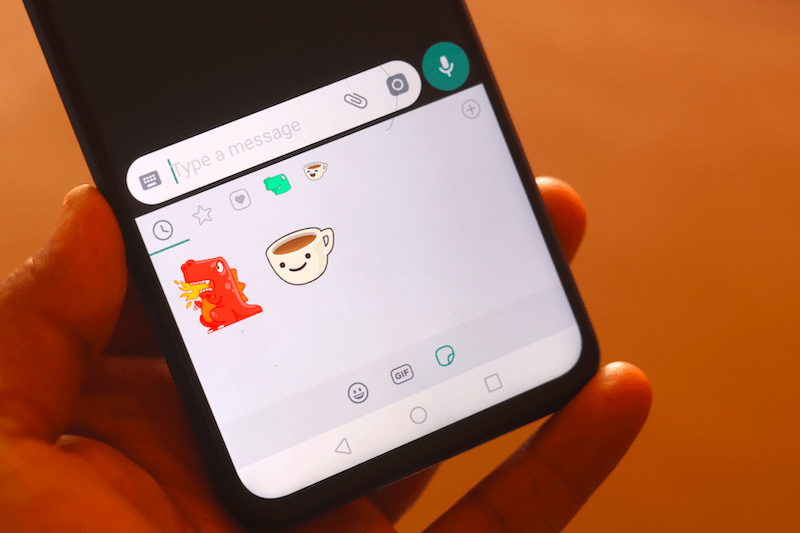
First of all, update to the supportive version of WhatsApp on Android, iOS device. After updating, open a chat and click on the emoji button. The new Sticker button will be available on the chat bar on iOS. For Android users, the option will be located on the keyboard in the Emoji menu. Select a sticker from the WhatsApp Stickers and click on send button.
Types of Stickers Available on WhatsApp
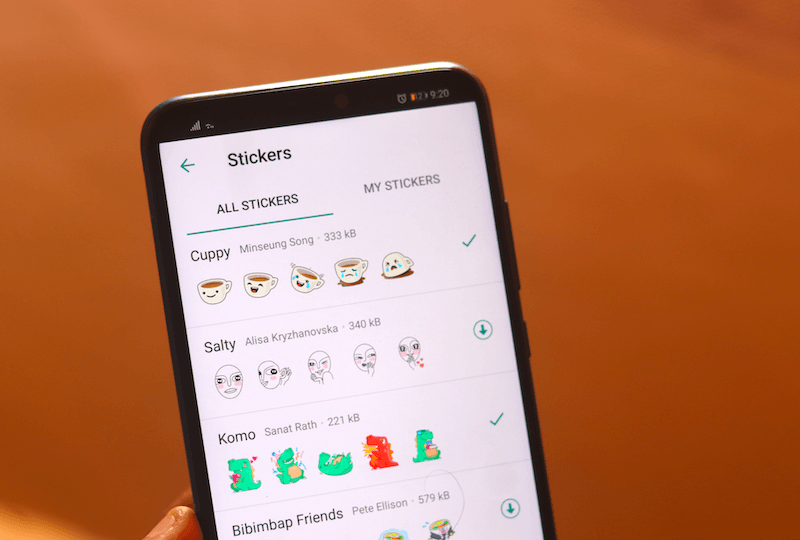
WhatsApp is rolling out 12 Stickers Packs to Android and iOS users starting today. The stickers include- Cuppy by Minseung Song, Salty by Alisa Kryzhanovska, Komo by Sanat Rath, Bibimbap Friends by Pete Ellison, Unchi & Rollie by nu1t, Shiba Inu by Aiko Kuninoi, The Maladroits by Cole Ott, Koko by Hanasake Picture Inc., Fearless and Fabulous by Ann Shen, Banana by Jayde Fish, Biscuit by Ghostbot and Hatchby Hatch.