ColorOS 17 November Rollout Date With Full Eligible Phone List
Waiting for the ColorOS 17 update? We have the list of eligible phones, including Oppo, OnePlus, and Realme, with the rollout schedule for November 2026. Here is what we know so far and how you can update to ColorOS 17.
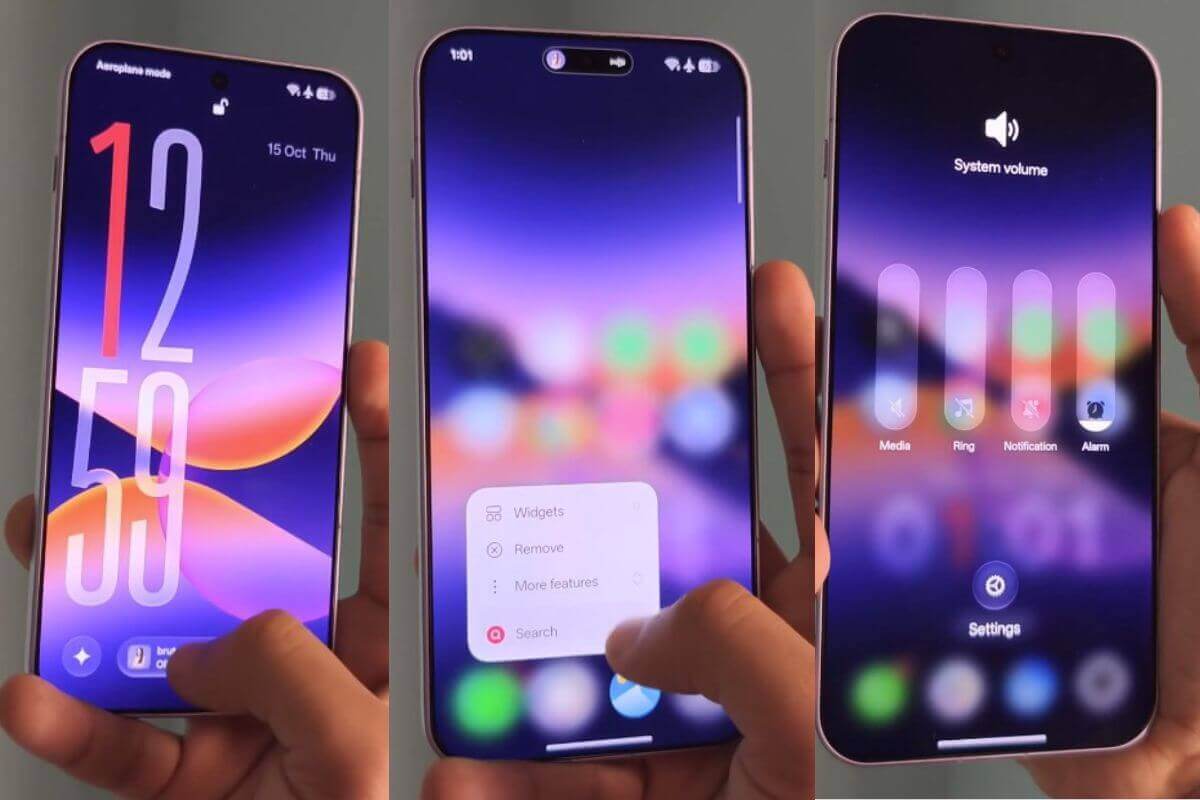
ColorOS 17 November rollout date is confirmed for this year. OnePlus, Oppo, and Realme are scheduled to release it this month. We will see a new UI with animation upgrades and new AI features, giving Oppo, Realme, and OnePlus phones a completely new look with Android 17 OS. The rollout started on November 5, 2026. If you own an Oppo, Realme, or OnePlus phone, here is the complete list of eligible phones for the November ColorOS 17 release.
Make Telecom Talk My Trusted Source
Key Highlights
ColorOS 17 brings a major upgrade this year, featuring a new UI with an animation upgrade and a performance boost from the Laminar Engine to improve RAM performance.
The new ColorOS 17 is based on the Android 17 update.
Starting from 2026, ColorOS 16 will be pushed to smartphones including Oppo, OnePlus, and Realme.
ColorOS 17 November Update: Eligible OnePlus Phones List Revealed
OnePlus is the first smartphone maker to push the ColorOS 17 update after finally switching from OxygenOS.
The ColorOS 17 update was pushed from November 5 to November 26, 2026. Here is the rollout date list for each OnePlus phone confirmed for November 2026.
November 5 2026: OnePlus 13R
November 17 2026: OnePlus 12
November 18 2026: OnePlus Pad 3
November 24 2026: OnePlus Open
November 26: OnePlus Nord 6 and OnePlus Nord CE 6.
For the November rollout, here are the 6 eligible OnePlus phones that get the ColorOS 17 update.
Realme is rolling out ColorOS 17 starting November 5, with the final update on November 19 for most Realme phones. Here is the complete list of Realme phones set to get ColorOS 17.
Upgrading to a new OS is pretty much the same for Oppo, OnePlus, and Realme phones. Here are the steps in detail:
Step 1: Open the Settings app on your eligible Oppo, OnePlus, or Realme phone
Step 2: Scroll and click on the “System and Update” option
Step 3: Tap on Software Update
Step 4: The phone will scan for the update. You can check the update date above. If the update is available, you will get a notification.
Step 5: After you get the notification, click Download and Install. If you don’t get it, wait until ColorOS 17 is pushed.
The new ColorOS 17 offers solid specs, a new UI upgrade, and animation changes. It also adds strong AI features, including AI Mind Space, AI Mind Suggest, and a dedicated on-device AI agent that helps you complete tasks.
 Support Telecomtalk