Support Telecomtalk







Andrew Bonwick
Vice President of Product Development at Relm Insurance

Madhav Sheth
CEO of Ai+ Smartphone

Stephen Rose
CEO Render Networks



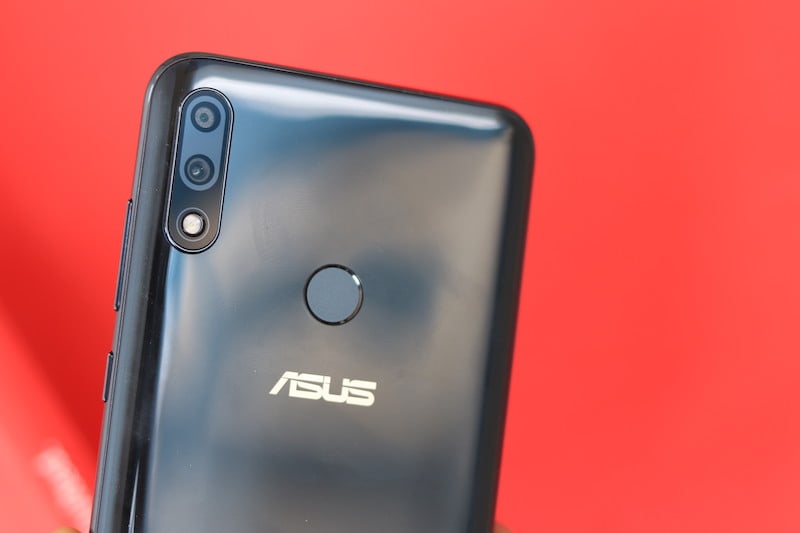
Asus has launched some noteworthy smartphones this year. Whether it is the flagship Asus Zenfone 5Z or the budget based offerings from Asus, undoubtedly, the Taiwanese manufacturer has managed to make it to headlines. One of the latest launches from Asus is its Asus Zenfone Max Pro M2, which is a very worthy upgrade to the previously successful device Zenfone Max Pro M1. As per the latest news, the Asus successor has received a new Firmware Over the Air (FOTA) update which brings on some much-awaited changes to this new phone. The version of the update which is being pushed to the Asus Zenfone Max Pro M2 users is the IN-15.2016.1811.177, and it is being pushed to the users via OTA in phases. So worry not if you have not yet received the update, you should get it soon. Read ahead to know more what this new package spills on to the Zenfone Max Pro M2.
- Make Telecom Talk My Trusted Source






Zenfone Max Pro M2 New Firmware Update
Asus has officially issued that with the new update package, the camera effects on the Asus Zenfone Max Pro M2 will be better optimised. In addition to that, the audio parameter has also been updated. The firmware for the fingerprint sensor has been given an upgrade too, which will improve the performance of the sensor, making it more accurate and fast. An upgraded touch firmware is another element to this new Zenfone Max Pro M2 update. Thus the touchscreen on the device also becomes more accurate, and any glitches that the users might have been facing will be resolved to a large extent. The display edge has also been improved with this update. Lastly, the new firmware for the Asus Zenfone Max Pro M2 brings the Google Security patch for November 2018 on-board. Like we mentioned above, Asus has noted that the update is being pushed to the users in batches, therefore, it is likely that some users will receive the update a bit later. In case you want to check for the updates manually, you can head over to Settings > System Updates and tap on ‘Check for updates’.