Support Telecomtalk







Andrew Bonwick
Vice President of Product Development at Relm Insurance

Madhav Sheth
CEO of Ai+ Smartphone

Stephen Rose
CEO Render Networks



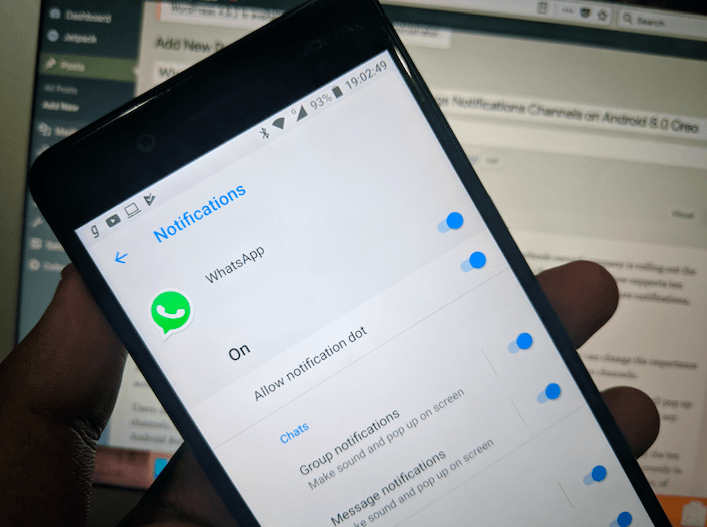
WhatsApp now supports Android Oreo’s Group Notifications feature. Finally, the Facebook-owned company is rolling out the much-delayed notifications channels feature with the WhatsApp Android Beta version 2.18.18. WhatsApp has ten notification channels: message notifications, group notifications, chat history backup, critical app alerts, failure notifications, media playback, uncategorised, other notifications, sending media, and silent notifications.
- Make Telecom Talk My Trusted Source






And all the ten channels can be controlled individually depending upon your usage. For example, you can change the importance of group notifications to four options: urgent, high, medium, and low. And the same applies to all the ten channels.
Talking more about the notification importance feature modes, if you set the feature to Urgent mode, the notification will pop up on your screen and make sound; if it’ set to High mode, it just makes the sound; if Medium, the notification will not make any sound; and lastly, if it is set to low, then there won’t be any sound of visual interruption when a notification arrives.
Users can tweak around these modes for the entire ten notification channels. By default, notifications are enabled for all the ten channels, but the message and group notifications are set to urgent priority, which is understandable. This feature is currently in Android Beta version 2.18.18 and above. And to use this feature, your device must be running Android 8.0 Oreo and above, of course.

One of the best features introduced by Google with Android 8.0 Oreo is Notification Channels. With this feature, a developer can give the users complete control of categorising the notifications they want to appear. But the massive letdown for this feature is Google doesn’t have the support of an application and the developer of the app must add support for notification channels, which is annoying.