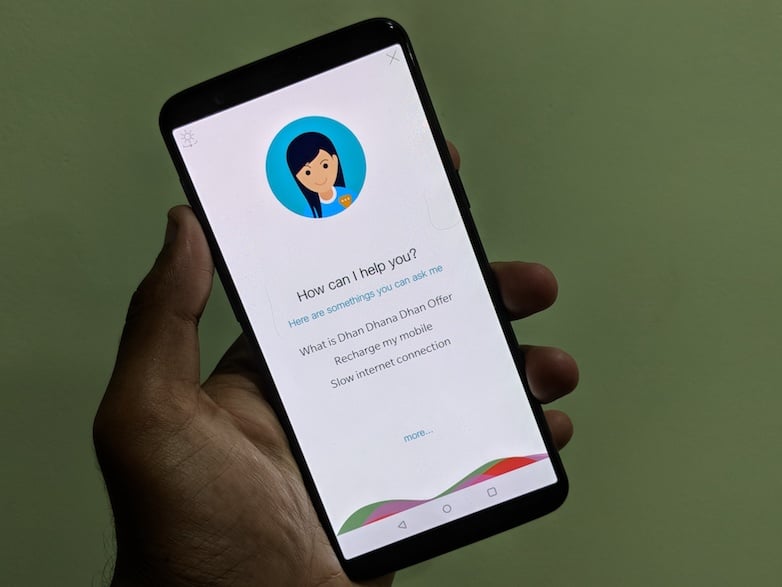
Reliance Jio has been the frontrunner in various aspects in 2017- be it the tariff plans department, new services launch, or adding new features to the existing services. The telecom operator who is on the rise has added an interesting feature to its MyJio application, and it’s a voice assistant feature, dubbed as ‘HelloJio.’ This feature is rolling out to users with the latest MyJio update and is quite impressive so far in understanding what we speak.
To recall, Reliance Jio introduced its own voice assistant with the Reliance JioPhone earlier this year. We can’t confirm whether the new HelloJio assistant rolling out to the MyJio app is the same one as the JioPhone because we haven’t got a chance to test out the JioPhone until now.
But so far, we’re impressed with ‘HelloJio‘ voice assistant on the MyJio application. The best part is you can use this voice assistant in both Hindi and English languages. Switching between both the languages is a breeze as a toggle is present at the right bottom of the HelloJio screen.
The HelloJio voice assistant can be accessed from MyJio app home screen. After updating the MyJio app to the latest version, you can see a ‘mic’ option at the top right corner beside the Jio Apps menu. Clicking on that mic option will take you to the HelloJio voice assistant home screen.
This voice assistant from Reliance Jio doesn’t require any additional voice training like the Google Assistant. Sadly, there’s no way to activate the voice assistant remotely with your voice as whenever you need to use it; you have to enable it manually. To make the things more straightforward, Jio is adding a floating icon with Jio written on it on to your home screen. Pressing it will take you to the HelloJio assistant screen.
Now, let’s move onto the significant part of a voice assistant: What actions does it perform? Well, most of the actions which can be performed by HelloJio assistant are limited to just MyJio app related. For example, you can ask the assistant to recharge your number as ‘recharge my number,’ which takes you to the Jio tariff plan selection page. The sad part, however, is even when you tell a recharge plan, it will still take you to the plan selection page. For example, if you ask the assistant to ‘recharge with Rs 459 plan,’ it just doesn’t take you directly to the payment page. This is understandable as it’s programmed to perform just a set of tasks unlike Google Assistant or Apple Siri.
Moving on, you can ask HelloJio assistant to check how many SMS you sent this week, what is the data balance, and other Jio account related queries. It can also perform tasks such as opening certain apps, making voice calls, sending SMS, playing music, etc. Furthermore, you can set the alarm, which might sound great. But, setting the alarm works only with one command- ‘ set the alarm followed by the time.’ That said, if you ask it to set the alarm by saying ‘wake me at 7 AM,’ it will reply as ‘Sorry I don’t have an answer for that at the moment.’ Another expected thing nonetheless.
Overall, we loved the multi-languages part with the all-new ‘HelloJio’ voice assistant. For the first time, I interacted with my device in the Hindi language. Hopefully, it gets better with time. Do watch the video to check out how this HelloJio voice assistant fares in real life.
Every article you read here is the result of time, research, and effort. If you feel it adds value, you can support TelecomTalk.
 Support Telecomtalk