Support Telecomtalk







Andrew Bonwick
Vice President of Product Development at Relm Insurance

Madhav Sheth
CEO of Ai+ Smartphone

Stephen Rose
CEO Render Networks



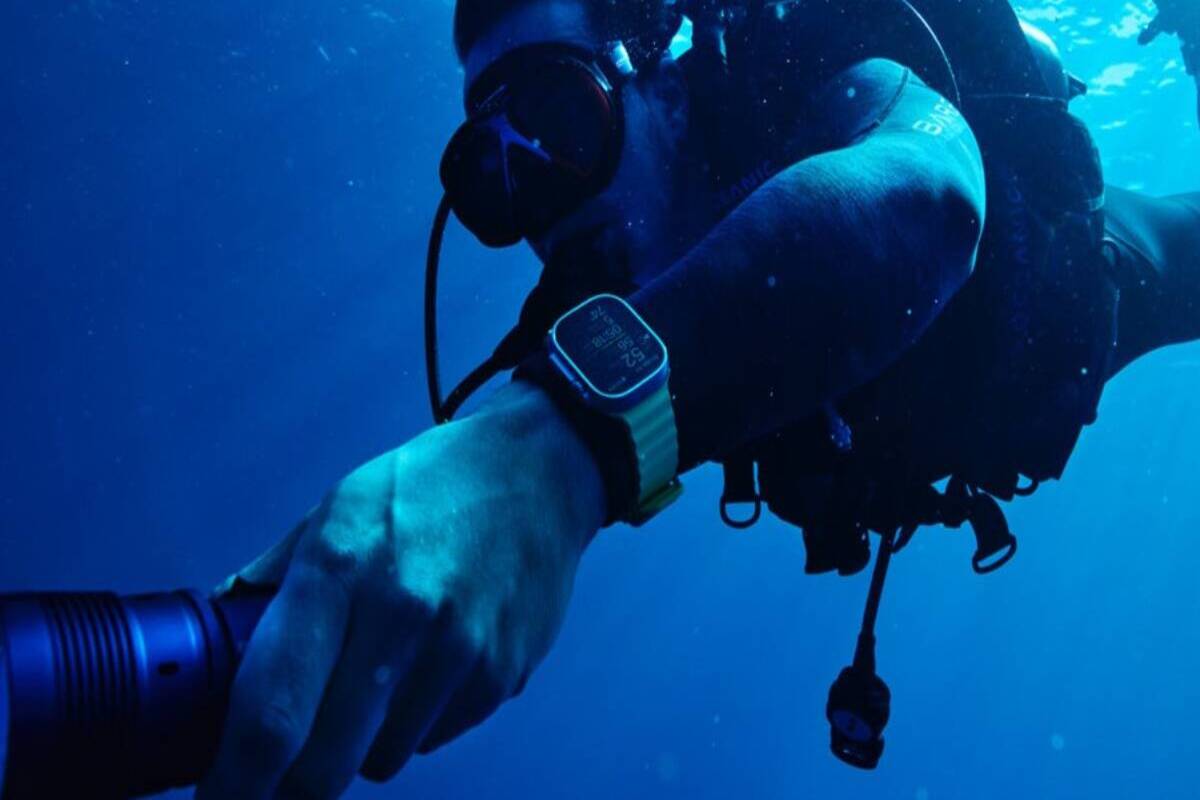
Oceanic+ is a special app for scuba divers on the Apple Watch Ultra that was developed by Apple in partnership with Oceanic, an American manufacturer of scuba gear. Divers and snorkelers of all skill levels are able to use the Oceanic+ app. The Oceanic+ Dive Computer app for the Apple Watch has a user-friendly interface and offers a wide range of functions on the company’s initial dive computer, as do other Apple Watch apps.

- Make Telecom Talk My Trusted Source



How to download and set up the Oceanic+ Dive Computer app on your Watch Ultra will be covered in this article.
How To Download the Oceanic+ Dive Computer App
Make sure you have the most recent watchOS 9.1 update installed on your Watch Ultra before downloading the Oceanic+ Dive Computer app. In a similar way, the Oceanic+ Dive Computer software only works on iPhones running iOS 16.1 or later.
Make sure you are downloading an app that is released by Huish Outdoors, LLC, by searching for Oceanic+ in the App Store. Downloading the app is cost-free.
The same app will be accessible on the Apple Watch Ultra as soon as you download it on your smartphone. Once the app has been downloaded and set up with your name, emergency contact information, dive experience (student, open water, advanced, dive master, instructor), and sensor authorisation (to access live GPS location and other details), press the Activate Oceanic+ button on your watch. All of these details will sync with your iPhone if you have paired an Apple Watch Ultra with it.