Support Telecomtalk







Andrew Bonwick
Vice President of Product Development at Relm Insurance

Madhav Sheth
CEO of Ai+ Smartphone

Stephen Rose
CEO Render Networks



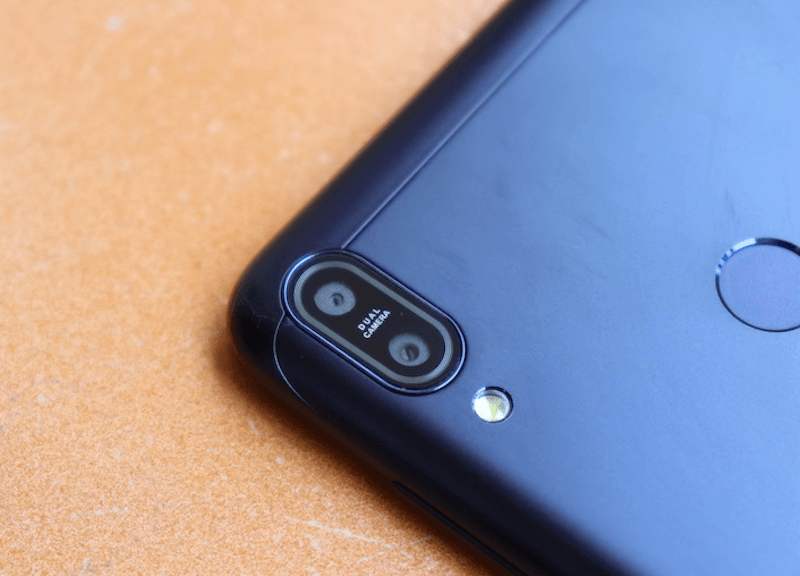
The Asus Zenfone Max Pro M1 is an excellent smartphone for its asking price of Rs 10,999 (you can get it now for Rs 9,999 during Flipkart Big Billion Days). The phone offers outstanding performance owing to the Snapdragon 636 chipset it has underneath, but to achieve the price tag, the Taiwanese company used mediocre cameras. The base variants with 3GB/4GB of RAM features 13MP+5MP cameras on the rear sides, while the 6GB RAM version comes with 16MP+5MP cameras. Asus also made a big decision and did not add Electronic Image Stabilisation (EIS) feature to the smartphone. Recently, the company confirmed the EIS would be added to Zenfone Max Pro M1 very soon. What if we tell you there’s a workaround with which you can enable the feature right away on your Max Pro M1? Well, you can credit the Snapdragon camera app which comes pre-installed inside the smartphone for this little tweak. Read on to know how to enable EIS on your Zenfone Max Pro M1.
- Make Telecom Talk My Trusted Source






Enabling EIS on Asus Zenfone Max Pro M1
The EIS settings on the Asus Zenfone Max Pro M1 have been located in the camera app. For the unaware, the Zenfone Max Pro M1 comes with Snapdragon camera application. To enable EIS, open the Camera app and then go to Settings. Navigate to the tab which reads “Redeye Reductions”, tap on the button again and again until you get a notification saying that the additional settings have been enabled. In the Camera app now, switch to 1080p Full HD or lower settings while in the video mode. The “Image Stabilisation” will now be visible in the settings and you will be able to toggle it on. With the “Image Stabilisation” toggled on on the ZenFone Max Pro M1, you will be able to record comparatively less shaky videos. The Image stabilisation isn’t the only hack in the Asus Zenfone Max Pro M1 since Asus has overlooked a hidden fastboot command that allows for enabling the Camera2API without a need to modify system files. Using this backdoor, the phone users will also be able to install the Google Camera application on their device.