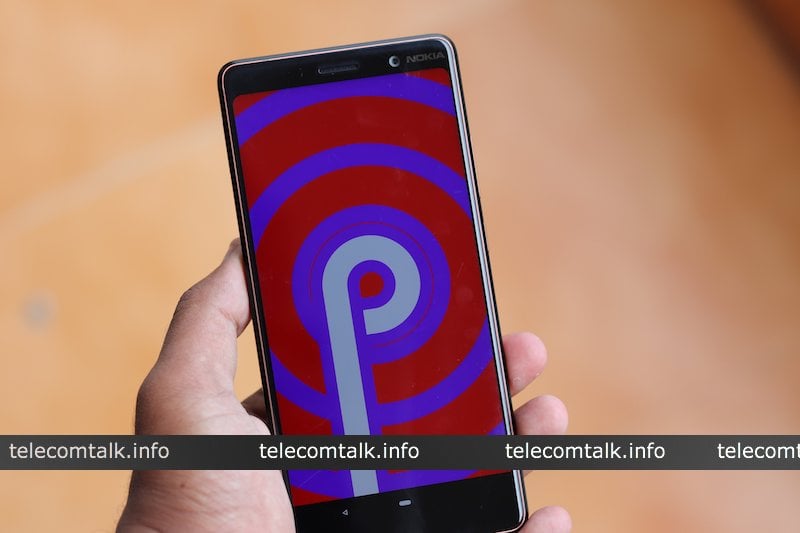
Google at its I/O Developers Conference on Tuesday, launched the first public beta version of Android P. Earlier, the company released the Android P Developer Preview 1 to its Pixel devices, however, thanks to Project Treble support, the Public Beta is open to various devices from seven different manufacturers. Though Android P won’t formally launch until fall this year, the company revealed several features of the upcoming version of Android P which introduces a new gesture-driven interface, a Dashboard to give you overview of time spent on your device and optimisations to reduce battery drain.
Here everything you need to know about the upcoming Android version:
Gesture Controls
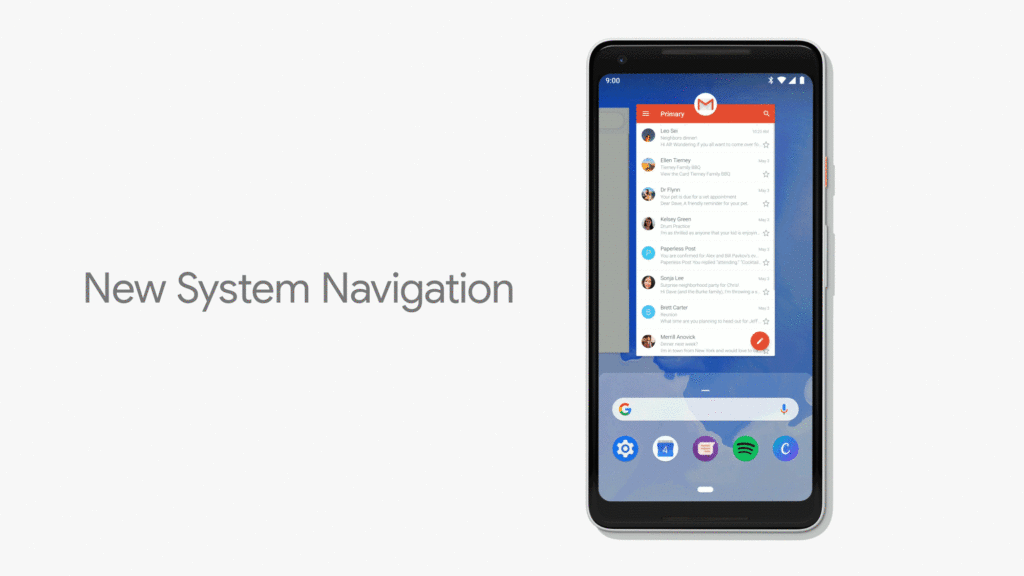
Android P now includes a core interface that uses iPhone X-like gestures for navigation. Instead of a three-icon array of on-screen buttons of older Android OS, the P offers a single, oblong line at the bottom of the screen that you’ll use to swipe around the OS.
The new system allows users to swipe up from the bottom of the screen to access the multitasking, and the menu itself now is presented in the form of a slider that offers full-screen previews of recently used apps. Swiping up past multitasking menu will bring you to an all apps screen. The swiping up gesture works from wherever and whatever you’re doing.
Google will also present contextual suggests: a rotation button appears in the corner of the screen when you physically rotate your device, so you no longer have to decide whether to turn off rotate or enable it. The feature only appears when you need it.
Similarly, the volume slider now adjusts the media volume by default, so you no longer change the ringer volume when you’re trying to quickly change the volume on content. Google is also bringing an easier way to take screenshots in redesigned Quick Settings and tweaked notification management tools, among other upgrades.
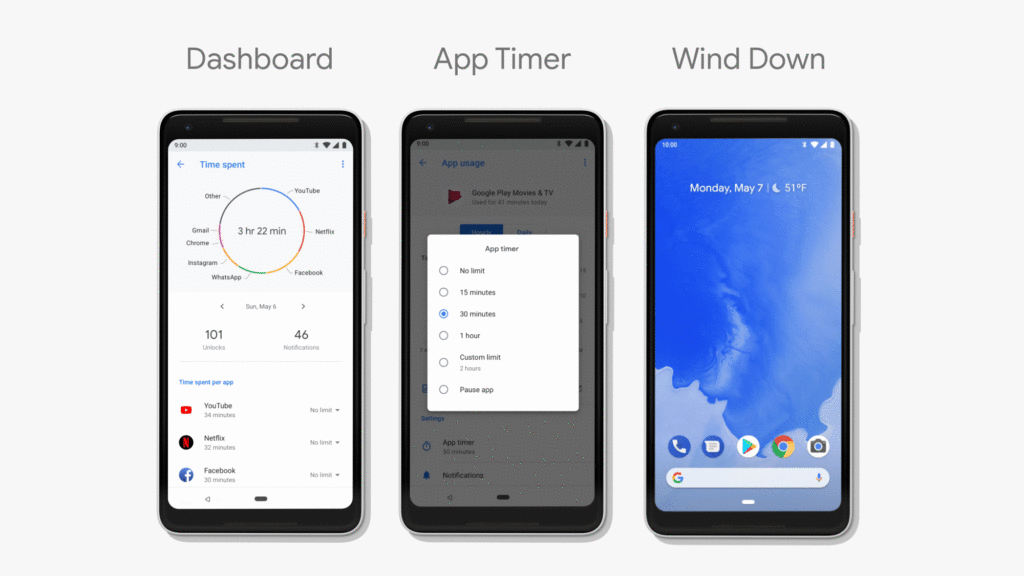
Dashboard Android P brings in new Dashboard that deals with the “digital wellbeing” aspect. The Dashboard gives a detailed overview of time you’ve spent on your phone, breaking down per-app usage, notifications you’ve received, number of times you’ve unlocked your device. This information might help users know their behaviour and alter it if needed.
The second step is ‘Control’. There is an AppTimer that lets you set limits on your usage. You can set a number of minutes per day that you are allowed to use each app. It will deliver notifications when you are close to your usage time, and when you’ve reached the self-imposed limit, the app is paused. The OS shows a greyed out icon once the app is paused.
Android P also introduces granular controls for Do Not Disturb, and new gesture called “Slush Mode” which will automatically switch over to DND when you place your device face down on the surface. There’s also a new feature called “Wind down”. It turns the screen grayscale at your chosen time to tell you that it is time to go to bed.
Adaptive Battery and Adaptive brightness
With Android P, Google is turning to machine learning to understand how you use your phone and anticipate what you’ll do next. Google has teamed up with UK based artificial intelligence unit DeepMind on the feature called Adaptive Battery.
The AI will determine the apps you’re likely to use over next couple of hours, and one which will remain benched. The OS will devote battery resources only to those apps and services that it expects you to use.
It will do something similar with brightness slider. Using machine learning the Android P will discover how you like to set your brightness settings on the phone, and certain apps and do it for you automatically in a power efficient way, based on your preferences.
Android P Public Beta Eligible Devices
Unlike previous years, Google is opening up the beta build to third-party manufacturers. The Android P public beta is rolling to ten phones, including the Google Pixel, Pixel XL, Pixel 2, Pixel 2 XL, Essential PH-1, Xperia XZ2, OnePlus 6, Oppo R15 Pro, Nokia 7 Plus, Vivo X21 and Xiaomi Mi Mix 2S.
If this article saved you time or helped you decide better, consider supporting our work.
 Support Telecomtalk