Support Telecomtalk







Andrew Bonwick
Vice President of Product Development at Relm Insurance

Madhav Sheth
CEO of Ai+ Smartphone

Stephen Rose
CEO Render Networks



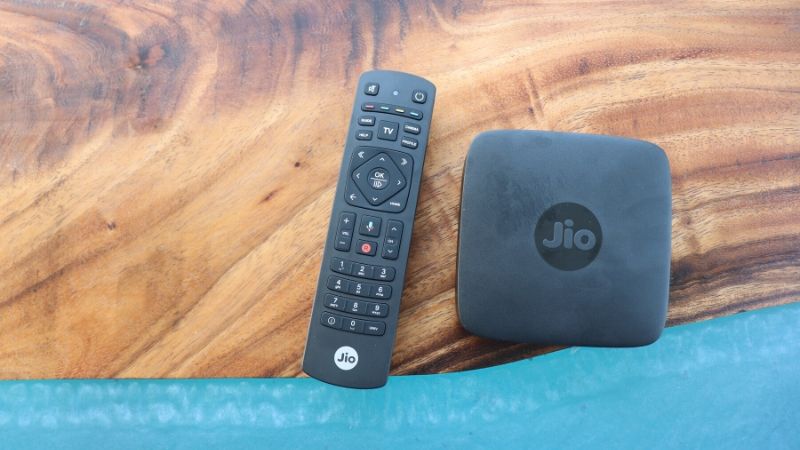
The Mukesh Ambani led telecom operator, Reliance Jio, can be credited with launching some of the best plans in the country. When it comes to offering data and services, Reliance Jio offers some of the best offerings that one can get their hands on. However, Reliance Jio is also behind some of the most popular consumer electronics products in India too. One such product in its roster is the Jio Set-Top Box. This Hybrid Set-Top Box launched by Reliance Jio is a tiny STB which mixes DTH and OTT services for the customers, and like other popular Set-Top Boxes of its time, this Set-Top Box is also enabled by Android TV. The Reliance Jio Set-Top Box comes with many features like free calling, video calling, and more. But, today we will be discussing how to install third-party applications on it. Since the Set-Top Box already comes with Reliance Jio applications pre-installed, there are only a few things missing. The subscribers might want to install some of the popular applications on the Set-Top Box like Amazon Prime Video and Netflix. This article walks you through how you can install them.
- Make Telecom Talk My Trusted Source





Finding APK for Required Apps
The first step in this series would be to boot your Set-Top Box and open the applications of the menu. Over here, you will see many apps like Jio TV+, JioCinema, JioSaavn and more. But, you will have to open the browser application on Jio Set-Top Box which goes by the name of JioPages. The JioPages app is nothing but the Android TV default browser with Jio’s custom skin. Once opened, now you have to search for the APK file of the respective application that you want to download.