



Popular photo sharing application Instagram today rolled out a new feature which displays the last active time of a user. This feature is similar to the one we have seen on other platforms such as Facebook Messenger and WhatsApp. In the direct messages screen, you can now see the last active time of the people you follow or have previously chatted with. This feature is yet to go live in India, but in some countries such as the US, it's already live.
Nevertheless, Instagram is allowing users to turn off the last active status though, same as WhatsApp. A new “Show Activity Status” option can be found in Instagram' settings, and it comes enabled by default. As stated, you can disable it anytime by heading over to the settings menu, in case you don't want others to know when you're last active.
However, disabling the Show Active Status feature won't allow you to see when others are active on the platform, much like WhatsApp last seen feature again. It is also reported that Instagram is likely testing this feature with few people as there's no official announcement on the feature rollout as of now.
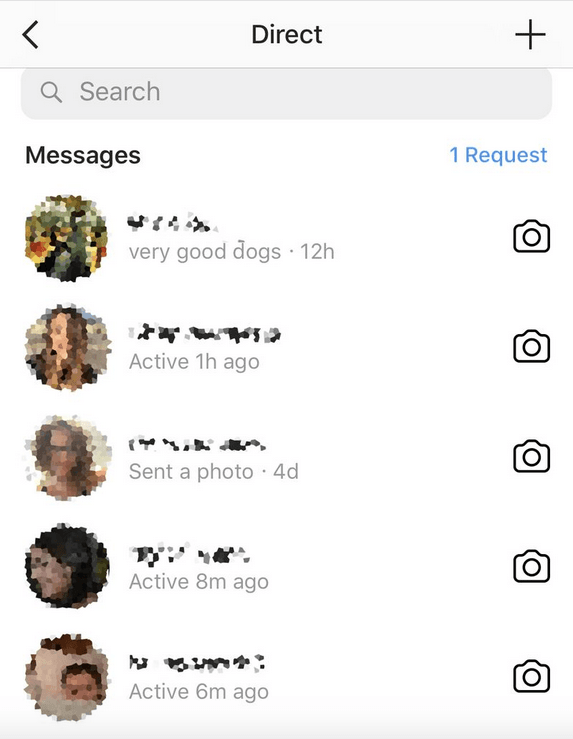
This feature doesn't work as it sounds. For example, there's no way you could check any of your follower's last active time if you haven't chatted with him/her earlier. Practically, this feature works only in the Direct Messages screen, and it shows the last active time up to 24 hours reports The Verge. For example, you have DM'd your follower a couple of days ago, and it shows just active 1 day ago. On the other side, if your follower is active while you're browsing the app at the same time, it just shows active now, which is an expected thing.
In recent times, Instagram is focusing heavily on developing the Direct Messages functionality, but this one comes as a complete surprise. But what separates this feature on Instagram from Facebook Messenger is the ability to turn off like WhatsApp. As per the report, this feature is live for a few of the Instagram Android and iOS users, but none of my followers nor me received it yet. It's unknown whether it's a server-side change or a separate app update. But I can see the Show Activity Status option in my settings, meaning the feature could be a server-side change.