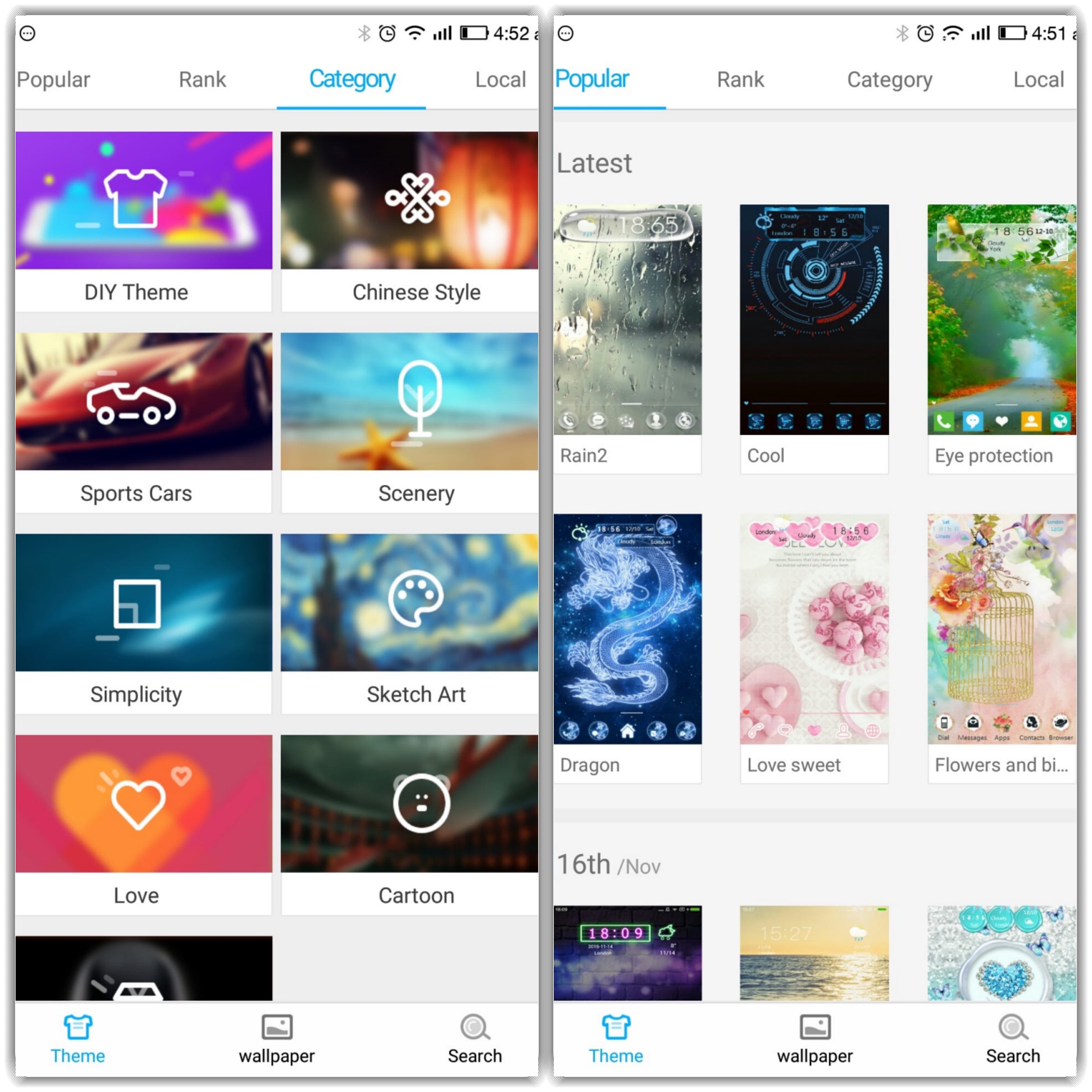
Not many of us like the regular look of Android Home screens. To revamp the look, many users turn to launcher apps that come bundled with various themes and wallpapers. One such app is 91 Launcher for Android. The app features 3,000 different themes along with thousands of high definition wallpapers. We reviewed the app thoroughly. Scroll down to know about our experience with the 91 Launcher app.
Make Telecom Talk My Trusted Source
91 Launcher’s Interface
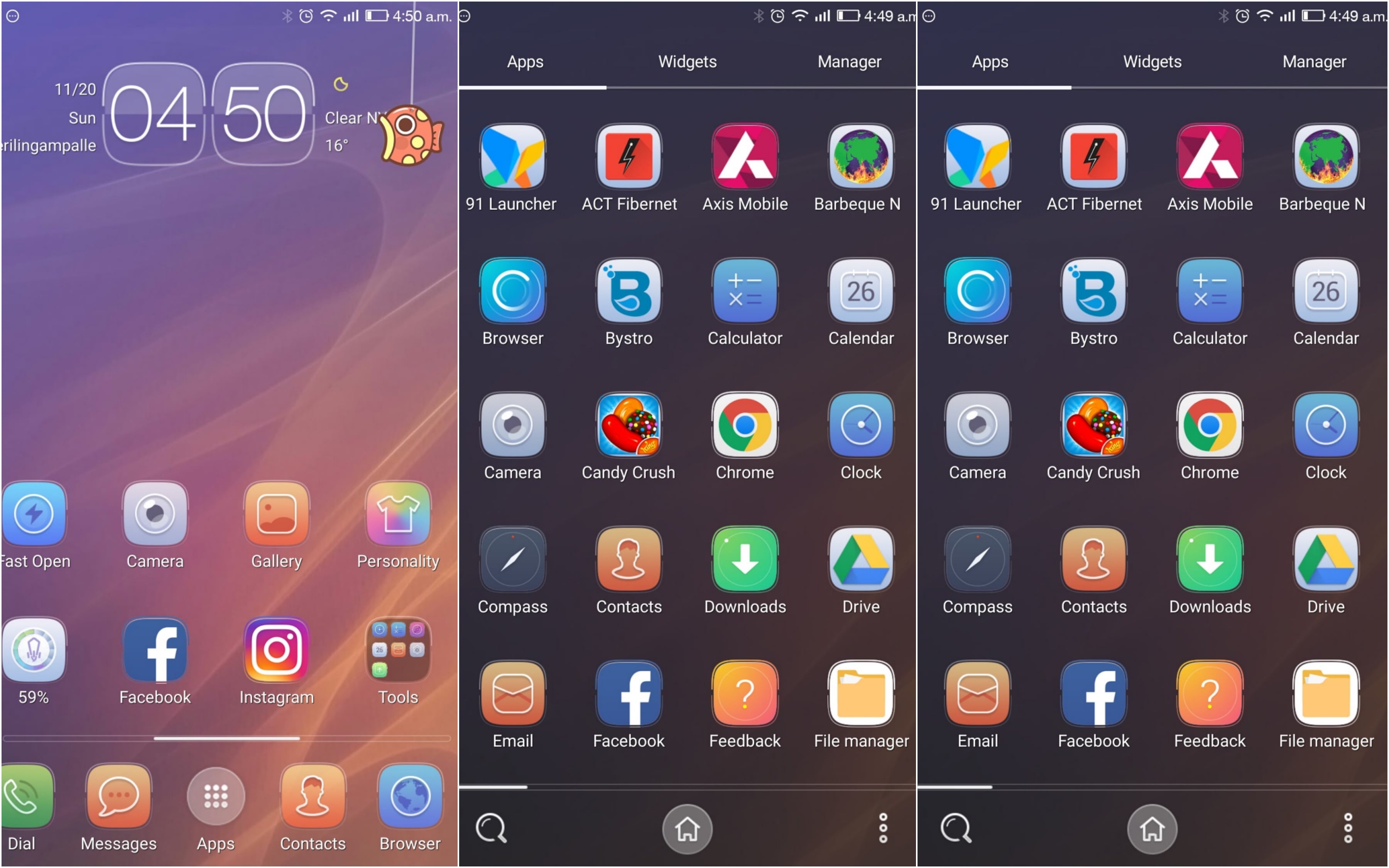
Just like many other launchers on the Play Store, 91 Launcher also has a standard interface filled with theme and wallpaper options. After installing the app, you would be required to set it as your smartphone’s default launcher app. We found the app to be involved with the device as it takes over the entire setup in a jiffy. Once the initial setup is complete, you can open the app again and select a wallpaper or a different theme as per your order of preference.
The app is stacked with a variety of categories for themes and wallpaper. The wallpaper image quality is excellent, and there are so many of them that it would be a task to settle down for one. If you don’t want to change the theme of your phone, then you can just choose the wallpaper of your choice from the app. It will set the selected image as the wallpaper without including theme-based features.
Themes, Effects, and Features
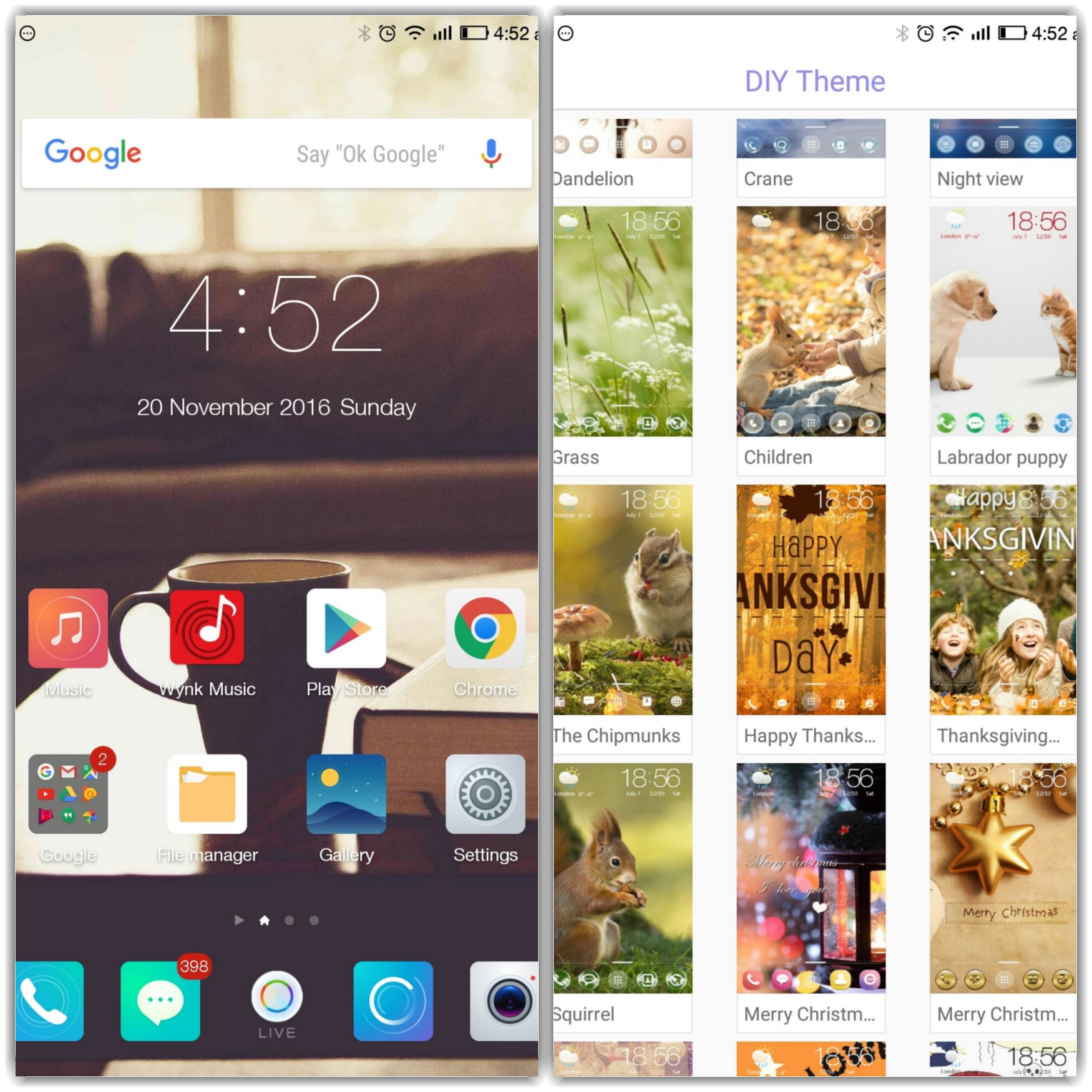
The themes have their own styles and features. We liked the Purple Sparkle theme. Applying themes is a very simple task on 91 Launcher as it opens the app description as soon as you tap on the theme from the list and it also has demo images on the info page of the theme to give users an idea of how it will look on their device.
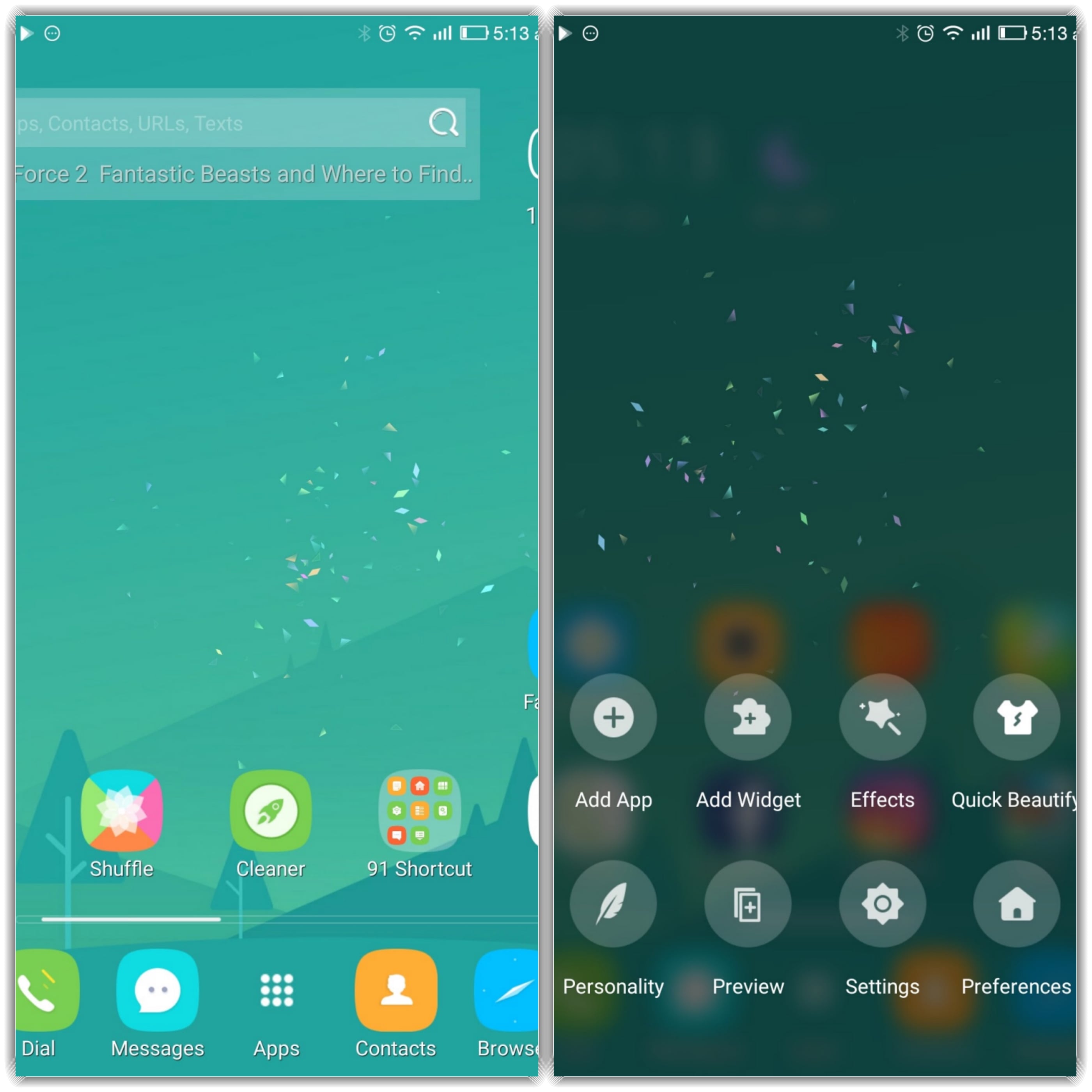
One of the exciting features on 91 Launcher is 3D touch effect (not to be confused with the one found on iPhones), which is fun to use. We liked the firework effect as it spreads across (as you can see in the image below) the screen and makes swiping fun. There are various other effects that you can try, such as Burst, Star Bursts, and much more. Another nifty item on the app is the Search feature, which allows users to search an array of topics along with the apps and items installed on their phone. Users can quickly search contacts from the Search feature. The only thing offsetting about the search feature is the presence of advertisements on it, which might not be appreciated by many users.
Among the extra functions that come bundled with the app is Battery Boost, although we do not have much faith on apps that promise battery boost because they mostly add up to bloatware on the phone. The good thing that comes out of the battery boost function is that it shows the battery backup left on the phone, which is helpful in deciding when to put up the device on charging.
Ratings
App Promptness (4/5): We found 91 Launcher app to be fast and responsive most of the time during our review. It did not close unexpectedly or added up bloatware to our device in use. However, we would like to suggest the app makers to simplify the initial setup a bit as it could be confusing for the users to determine if the theme is already applied.
Theme Selection (4/5): With a broad range of distinct wallpapers and themes, 91 Launcher offers a lot to the users. We liked the extra effects and features that come with different themes. The app presents users with 10,000 distinct wallpapers in HD quality; it keeps adding new ones now and then. Overall, a good spread of themes and wallpapers.
Features (4/5): As we mentioned above, we liked the 3D touch effect that comes with 91 Launcher app. Another feature such as battery duration is also helpful.
Everything on Offer (4/5): We found 91 Launcher to be a well-made app loaded with stuff that it promises. The app is well segmented with themes and wallpapers. It also offers extra features, which might be helpful to many users. However, some users might not like the extra features. As the phrase goes – To each his own, we think 91 Launcher would appeal users as per their taste. For the users who have been using launcher apps on their phones, 91 Launcher might just become your go-to app for regular themes. Of course, there are a lot of other options available on the Play Store, but we recommend you to try it out once.
Shortcomings
Most of the users do not like in-app suggestions that insist on installing complimentary apps. It looks like an advertisement, which can be annoying for many users. Also, the included features such as battery booster would not appeal to a fair share of users.
Conclusion
For the users who like changing the themes and wallpapers on their smartphone, 91 Launcher provides a good mix. It performs well and also offers added features. The best thing about the app is that it is free. However, as a side-effect of being free of cost, makers have added advertisements and suggestions that could be frequent. We liked 91 Launcher and would suggest you to try it out once.
 Support Telecomtalk