Ever since Jio stepped into the Indian telecom scene, the habits of smartphone and data users have vastly changed. This new revolution which came in the data industry caused the data prices to go down and the speeds to go up. As a result, people resorted to entertainment without caring about data speeds meaning increased video-intensive activities. Amidst all the data plan battles of the telecoms and increased data usage by smartphone users, video call companies have been of huge benefit as they saw a heavy increase in a number of users over their platforms. We compile a list of functionalities, pros and cons about the mega player in the video calling sector. The vastly popular app for video calls has been the WhatsApp Messenger and the latest Google Duo app. While WhatsApp claims a massive existing user base, Google Duo claims to be best quality video app present over Play Store. Here we’ll be dissecting the pros and cons of both to let you know which is the best Video Calling app to have on your phone.
WhatsApp Messenger
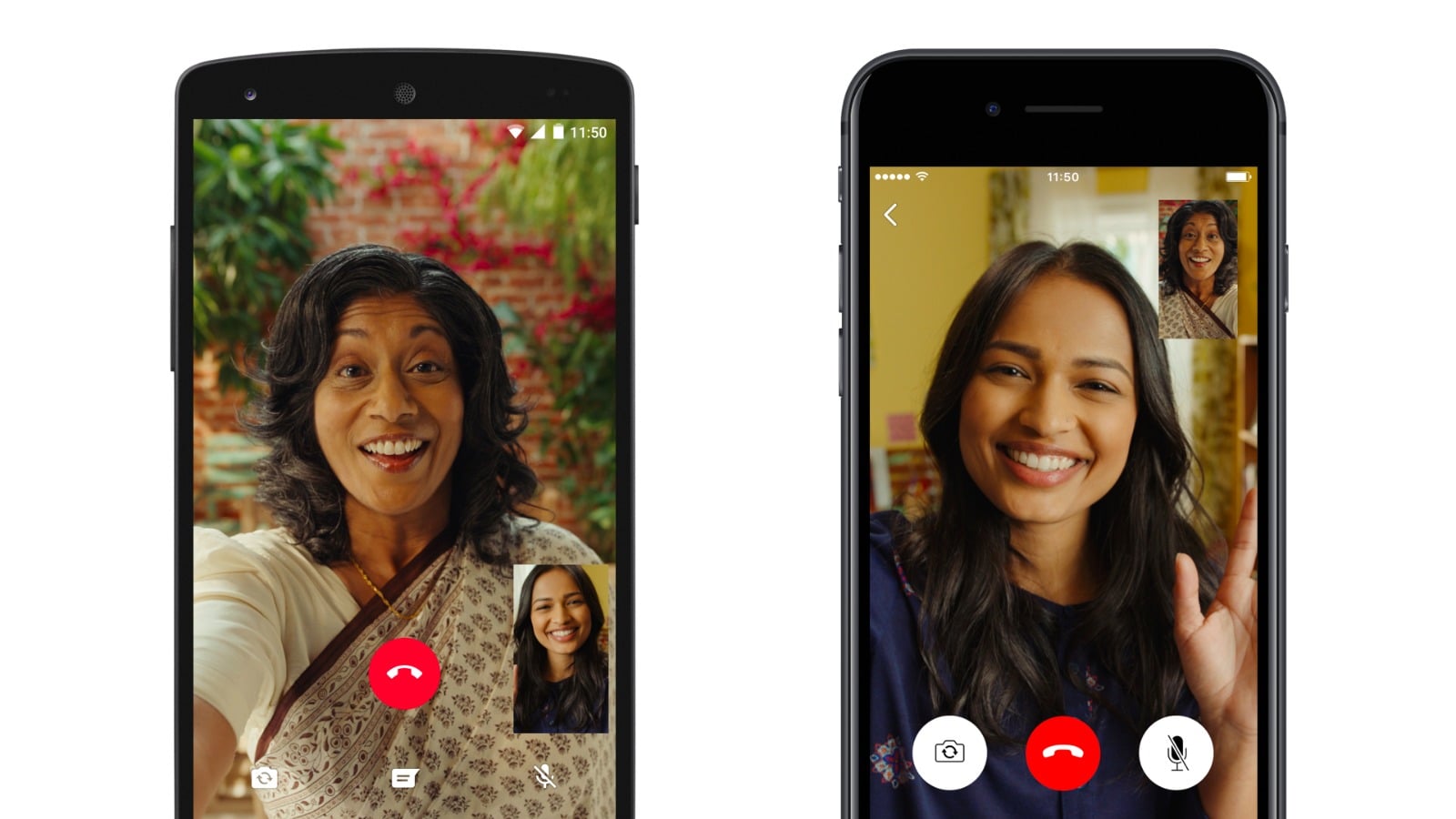
WhatsApp is a heavily used app in India with over 200 million active users monthly. Catching up on the trend and capitalising on the opportunity, WhatsApp rolled out the Video Calling update on the app in 2016. Ever since it can be said that people have liked the video calling feature and the stats support this claim as in last year only, Indian users have made 50 million minutes of video calls daily on the WhatsApp Video calling feature.
The WhatsApp is famous for its simple UI and has not changed its way since its early inception. Same goes for the video calling option inside the app, as the icon can be seen beside the voice calling option. It can be accessed by opening the chat screen or by opening the profile of the person. The Video Call screen also remains pretty standard, as we can see ourselves on the screen with a black overlay and also the profile picture of the other user. In an ongoing video call, WhatsApp provides the usual features like the camera flip button which allows us to choose between the front and the rear camera. Also, there is a mute button, and a disable video call button along with the red end call button. With the latest update, WhatsApp also allows its users to transition from the voice call to the video call just with a simple touch of a button. This feature has been rolled out both for Android as well as iOS.
Google Duo
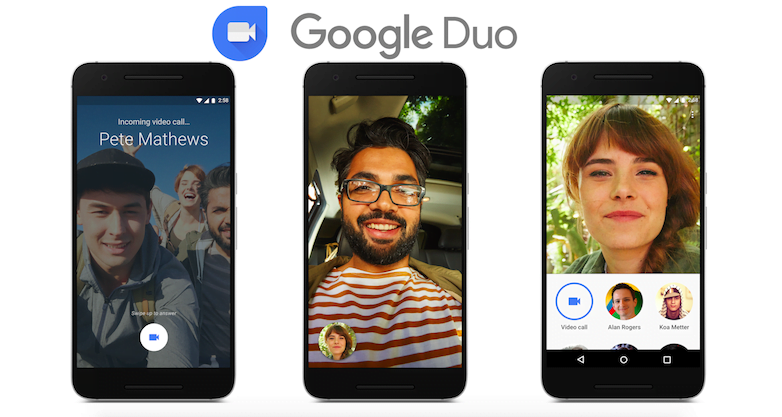
Since last year Google has put on more focused attention towards social apps which provide chat functionalities. They launched the Google Allo and the Goole Duo apps in the I/O conference last year. Google has definitely put in a lot of thought and marketing to push the Google Duo app in the Indian market. Google Duo, however, is a bit different than WhatsApp since the app doesn’t provide functionality for text messages but instead allows voice and video calling with a heavy focus on the latter one.
There have been some interesting additions to the features that the Google Duo offers like the ‘Knock Knock’. This feature allows the receiver of the video call to see the caller’s video even before they’ve answered the phone, much similar to real life, like knocking on someone’s door- as the name suggests.
However, this feature can also be turned off easily within the settings of the app. The app also offers a high-quality mode which although consumes more data but delivers impeccable quality in the video call, but Google has also provided us with a toggle option to turn this mode off.
On the whole, both WhatsApp and Google Duo offers their own set of services. Which one will you prefer between the two? Let us know by commenting below.
If this article saved you time or helped you decide better, consider supporting our work.
 Support Telecomtalk