If you visit this on an iPhone with a battery Apple deems healthy, it shows the “maximum capacity” of your battery along with a link to the webpage for more details.
In addition, there is the new power management feature that dynamically manages maximum performance to prevent unexpected shutdowns. This is listed under section Peak Performance Capability.
If your phone has never experienced an unexpected shutdown due to low battery health, it will simply say: “Your battery is currently supporting normal peak performance.”
On iPhones with poor battery health, there is now an option to disable the performance-management feature. Users can turn off this feature as Apple promised, but there’s risk of unexpected shutdowns.
Notably, the feature isn’t visible unless your device has shut down unexpectedly and you can’t turn it on unless you have run into the problem. This feature is available for iPhone 6, iPhone 6 Plus, iPhone SE, iPhone 6s, iPhone 6s Plus, iPhone 7 and iPhone 7 Plus.
Health Records
iOS 11.3 also includes a new feature inside the Health application called Health Records, which lets iPhone users access medical information from multiple institutions right on their device. The feature is still in beta and available only in select few countries. The health records data are encrypted and protected with a passcode.
Business Chat
Business Chat in iMessage is another new feature in iOS 11.3. It allows users to chat directly with businesses for support, to purchase products, to schedule appointments and more. The conversation can be triggered by tapping the Messaging icon that appears when searching for a business in Maps, Safari, Search or Siri on iPhone/iPad.
Users can then contact the business to ask questions about product and services, or make purchases using Apple Pay. These conversations can be continued on Mac or Apple Watch. Apple claims users can control whether they want to share any contact information with the businesses. This feature, however, is US exclusive.
New Animojis
Apple also adds four new Animoji in iOS 11.3 for iPhone X, including a dragon, a bear, a skull and a lion. There are a total of 16 different characters now. These new Animoji don’t add any new functionality but are created using iPhone X’s TrueDepth sensor that records facial expressions of the users.
Animoji is animated emoji videos that are created using the facial recognition Face ID technology built into the iPhone X.
Apple Music
The new iOS version also brings along an updated Apple Music app with the ability to stream music videos without any ads and access the all-new music video playlists.
How to download the update?
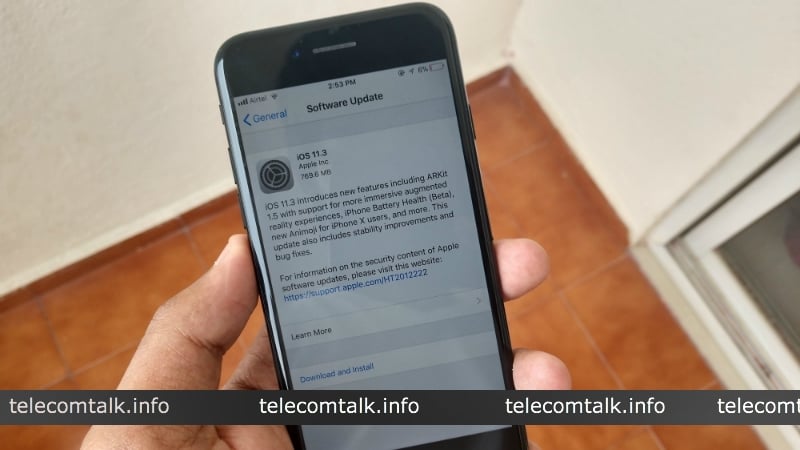
Apple’s iOS 11.3 is available as over-the-air (OTA) update. To manually start the update, unlock your iPhones and go to Settings > General > Software update.
You will see the iOS 11.3 software update, a big update with 2.18GB size. Connect your device to Wifi and wait for few minutes as it takes some time to download the update. Post download, the installation takes around 15 minutes.
The iOS 11.3 update is available for the iPhone 5S and later, iPad Air and later models, the iPad mini 2 and later, and the sixth-generation iPod touch.
A small group of TelecomTalk readers helps keep this platform running. Support us if you find our work valuable.
 Support Telecomtalk