




Hindi is spoken by hundreds of millions of people in India and around the world. But reconciling the breadth and complexity of the Devanagari script and the limitations of a QWERTY keyboard can be a barrier to communication, particularly on mobile devices.

Google recently launched the Google Hindi Input app on Google Play for Android smartphone users. If you have an Android smartphone or tablet, Google Hindi Input is the quickest and easiest way to compose emails, send messages and post on social networks using Devanagari script.
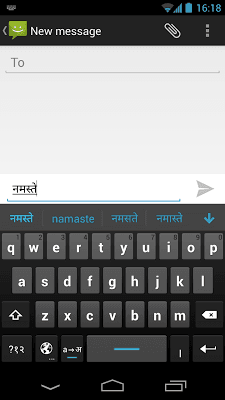
Google Hindi Input has two methods for writing Hindi text. In transliteration mode, you simply type a Hindi word in English (like namaste), and the app will automatically convert the word to Devanagari script (NAMASTE).
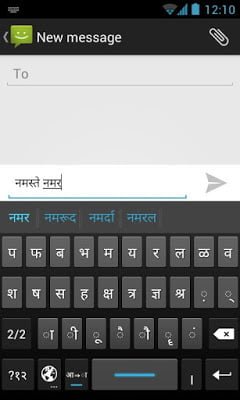
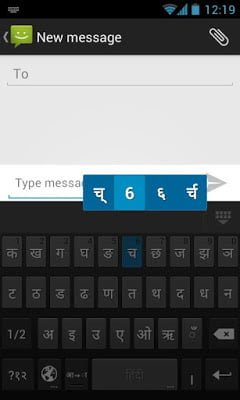
Hitting the globe button switches to a full Devanagari script keyboard, with Hindi consonants ordered alphabetically on two pages. In this mode, you can long press at any time to select various forms of a consonant.
Google Hindi Input is the first Indic language input method on Android, and hopefully definitely not the last from the Google Internationalization team.