 Support Telecomtalk







Andrew Bonwick
Vice President of Product Development at Relm Insurance

Madhav Sheth
CEO of Ai+ Smartphone

Varun Kashyap & Sridevi Reddy
Co-Founders, Zithara.ai
Transforming Indian Offline Retail and Customer Engagement Using AI


![Uninor’s Self Help Services via USSD : Our Analysis [Infographic]](https://telecomtalk.info/wp-content/uploads/2014/07/uninor-india.png)
Uninor launched a Toll-free SELF CARE option to all its subscribers some time back. One can check balance, validity expiry, offers and many other services through Self Care option. Any uninor subscriber needs to dial *121# from mobile and can experience the easiest and fastest way to get information which gives an advantage. The same is being promoted by Uninor across various channels. Now let us see what Uninor is exactly providing to its users.
- Make Telecom Talk My Trusted Source



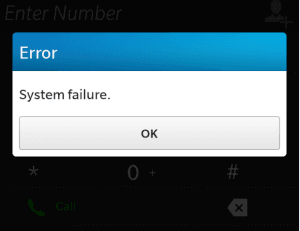
When we tried to explore Self care services from Uninor – most of the times we were greeted by the following error message. But after some troublesome times we were able to finally access the USSD menu.
Below is the info-graphic showing various USSD options provided by Uninor.

Services/options are basic and a good list provided by Uninor, but not a complete package of self care suite to call it the best. This menu can be improved by including some more useful options. Besides providing services, Uninor should also take care on the stability of availability of USSD services to users, as I noticed most of the times accessing *121# throws System failure, Supplementary Service error messages. May be this situation differs from circle and user but uninor should improve it. Also sometimes, on giving an input choice the menu doesn’t return any reply back result/option soon and finally it fails with supplementary error followed by command rejected error message.
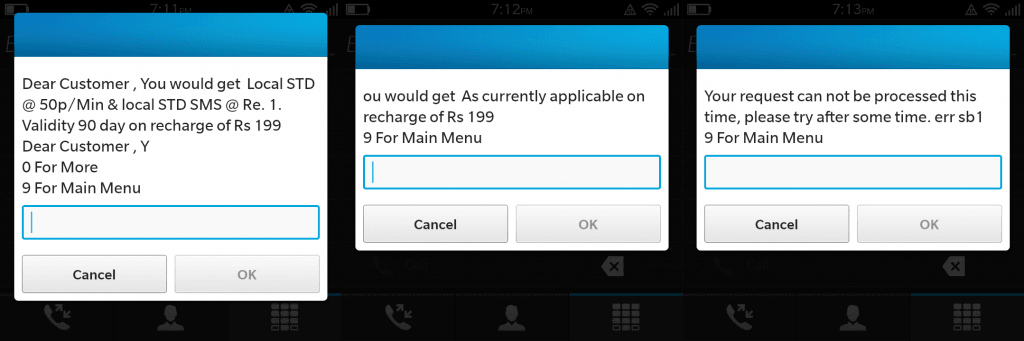
Not many Schemes and offers are available for activation from the USSD menu, this list can be increased with those currently offered by Uninor in market. When I checked the precision of details available with “Know Your Product” below is the result.
But what actually 199 provides as per the website information?

This is the quality of information available with Know Your product via USSD. After seeing this scenario, I myself was confused what details exactly this Know your product is trying to provide users with. I tried with a different Combo MRP and this time it failed with request can not be processed message as shown in the above image. As this service is recently launched and still in initial stages, I can say Uninor has really tried to offer a decent list for self care services which have a good scope for further improvements to excel in Customer service and satisfaction.






























